






Description
What The Acer Aspire 3 Is
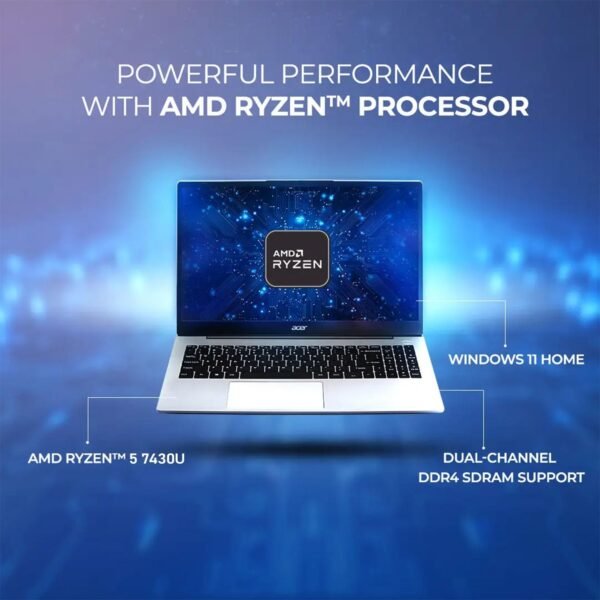
This Aspire 3 configuration is a 15.6 inch Windows laptop built around an AMD Ryzen 5 7430U, with 16GB of DDR4 memory, a 256GB PCIe NVMe solid state drive and Windows 11 Pro. Acer positions the Aspire 3 as a general purpose family machine, and the specification supports that framing: an IPS full HD panel, a backlit keyboard, Wi-Fi 6 and a 1080p webcam are all a step above the cheapest tier of 15 inch laptop.
The processor is the main difference between this machine and budget notebooks like the HP 15 inch Celeron laptop. Six cores and twelve threads give real multitasking headroom, which is what separates a laptop that runs a video call alongside a spreadsheet from one that struggles. Buyers comparing similar AMD machines should also look at the HP Essential 255 G10.
Processor, Memory And Storage
Acer lists the Ryzen 5 7430U with 6 cores, 12 threads, a 2.0 GHz base speed, up to 4.5 GHz turbo and 16MB of cache, paired with AMD Radeon integrated graphics. For office work, browsing, streaming and light photo editing that is a comfortable specification, and the 2.0 GHz base clock is characteristic of a low power mobile part that raises clocks when a task demands it.
Memory is 16GB of DDR4, which is generous at this price and the single specification that most affects how the laptop feels in three years. Storage is where the configuration is thin: 256GB is small for a Windows 11 Pro machine once updates, applications and files accumulate. The drive is a PCIe NVMe M.2 unit, so it is fast, and on most Aspire chassis it can be replaced later, though this listing does not confirm whether the drive is user accessible or whether a second slot exists.
Display And Audio
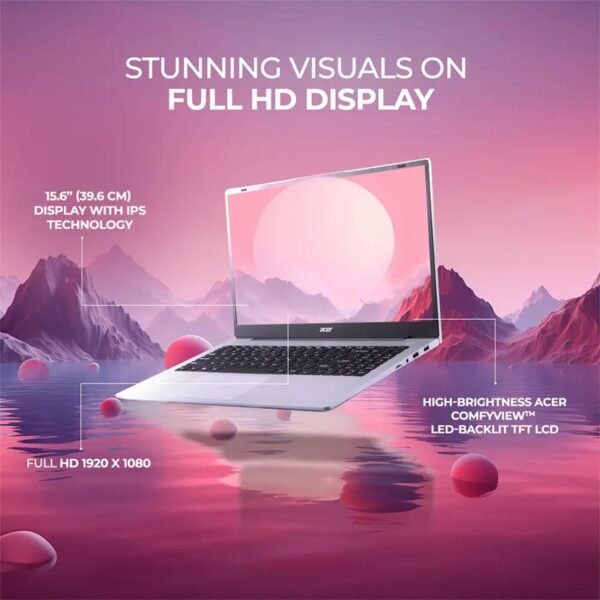
The panel is a 15.6 inch IPS display at 1920 by 1080 with Acer ComfyView LED backlighting, a 16:9 aspect ratio and a stated wide viewing angle up to 170 degrees. Acer also names BlueLightShield, a blue light reduction mode. IPS at full HD is the meaningful part: color and contrast hold up off center, and 1080p on a 15.6 inch screen gives enough room for two windows side by side. Brightness in nits is not published, so how the screen performs near a window cannot be judged from this page. Audio is stereo speakers rated at 1.5W each.
Ports, And The USB-C Limitation
The port list is unusually generous: two USB 3.2 Type-A ports, one USB 2.0 port, two USB-C 3.2 Gen 1 ports, an HDMI output, a headphone and microphone combo jack and an AC smart pin power connector. Five USB ports on a budget laptop is more than most offer.
There is a catch, and it is stated in the listing rather than hidden. Both USB-C ports support data transfer only. They do not charge the laptop and they do not drive an external display. That means no single cable USB-C dock, no charging from a phone charger or power bank, and no display output except through HDMI. The barrel style AC connector is the only way to charge. For a laptop released in 2025 that is a meaningful limitation and it should be weighed against the port count.
Wireless is Wi-Fi 6 in a 2×2 configuration with Bluetooth 5.2, which is current and worth noting at this price. A 2×2 antenna arrangement is the standard mainstream setup and delivers the throughput most home connections can supply. The webcam is a full HD 1080p unit rather than the 720p camera common in this bracket, which makes a visible difference on video calls, and it is one of the specifications where this configuration is clearly ahead of cheaper machines such as the Lenovo IdeaPad.
Highlights
- AMD Ryzen 5 7430U with 6 cores and 12 threads.
- 16GB DDR4 memory.
- 256GB PCIe NVMe M.2 SSD.
- 15.6 inch IPS panel at 1920 by 1080.
- Backlit full size keyboard.
- Wi-Fi 6 2×2 and Bluetooth 5.2.
- 1080p webcam for video calls.
- Five USB ports plus HDMI.
- Windows 11 Pro rather than Home.
- Battery quoted at up to 9.5 hours.
Things To Consider
The specification table on this listing contains fields that do not describe the machine. Flash Memory Size is listed as 4 TB against a 256GB drive. Item Weight is listed as 5 pounds while Acer’s own figure is 3.9 pounds. Number of Processors is listed as 6, which is the core count in the wrong field, and the processor is given as 4.5 GHz, which is the turbo speed rather than the base clock. The battery figure of up to 9.5 hours is a manufacturer estimate under manufacturer test conditions and should be treated as an upper bound rather than an expectation.
- Neither USB-C port charges the laptop or drives a monitor.
- 256GB of storage is tight for Windows 11 Pro with applications and files.
- Screen brightness in nits and color gamut coverage are not published.
- Integrated graphics only, so this is not a gaming or 3D machine.
- Battery capacity in watt hours is not stated, only an hours estimate.
- Memory upgradability and the number of memory slots are not described.
- Weight and storage size are each listed two different ways.
Who Should Buy It And Who Should Not
This Aspire 3 suits a household that needs one capable laptop for school work, office documents, video calls and streaming, and values a real IPS screen and a backlit keyboard over a lower price. The six core processor and 16GB of memory give it a longer useful life than an entry level machine, and the port selection covers older peripherals without adapters. It compares directly with the other Acer Aspire 3 listing on this site, which covers the same family in a different configuration.
It is the wrong laptop for anyone who needs USB-C charging or single cable docking, for gaming, and for anyone who stores large media libraries locally on a 256GB drive. Business buyers who need a docking station and more storage should compare the Dell Latitude 3550, and general shoppers can weigh alternatives across the traditional laptops category.