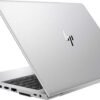
Description
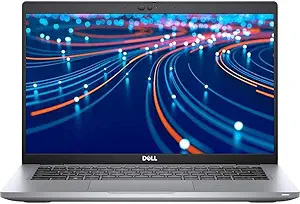
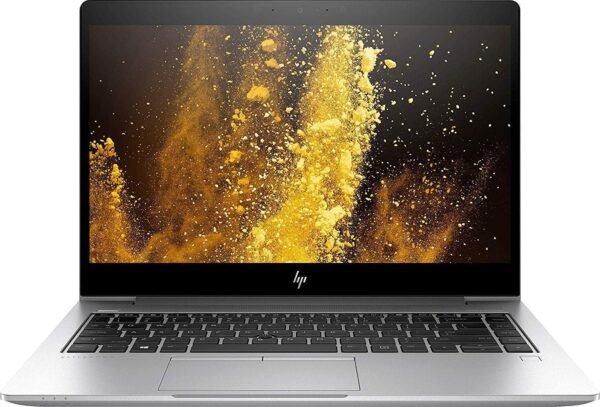
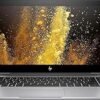
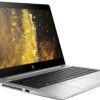
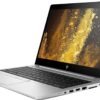
The HP EliteBook 840 G5 is a 14 inch business laptop, and this listing sells it as a renewed unit. The configuration pairs an Intel Core i7 running at 1.80 GHz with 16GB of DDR4 memory, a 512GB solid state drive and a 1920 x 1080 display, running Windows 10 Pro 64-bit. Graphics are Intel UHD Graphics 620, wireless is 802.11ac, and the machine weighs a listed 3 pounds at 12.84 by 9.22 by 0.71 inches in silver. There is no optical drive.
What Renewed Means
This is the first thing to understand, because it changes the nature of the purchase. The listing describes a pre-owned or refurbished product that has been professionally inspected and tested to work and look like new. The process described is that a customer returned or traded in a machine, a qualified supplier inspected and tested it, and it was then resold as a renewed product with a guarantee covering replacement or refund if the buyer is not satisfied.
The advantages are real: a business class laptop with a metal chassis, a good keyboard and enterprise build quality costs a fraction of its original price, and the specification you get for the money is far better than a new budget machine at the same cost. An EliteBook is built for fleet deployment, with the durability standards that implies.
The caveats are equally real. Battery health is the main one. Lithium ion cells degrade with age and charge cycles regardless of use, and a refurbished unit’s battery may hold a fraction of its original capacity. The listing quotes a battery life figure of 14 hours in the specification block; treat that as the original manufacturer rating for a new machine, not as a claim about this unit. Ask the seller about battery condition or budget for a replacement. Cosmetic condition, keyboard wear and screen condition are likewise worth asking about specifically.
The Windows 10 Question
This machine ships with Windows 10 Pro, and that requires a decision rather than a shrug.
Windows 10 has reached the end of its support life, which means it no longer receives security updates. A machine running it is progressively more exposed over time, and for a business machine handling any sensitive data that is not a theoretical concern. The practical options are upgrading to Windows 11 if the hardware qualifies, or installing a different operating system such as a Linux distribution, which older business laptops generally support well.
The complication is that Windows 11 has processor generation requirements, and the listing does not state which processor generation this machine uses. It says only “Intel Core i7 1.80 GHz”. Before buying, establish the exact processor model and check whether it appears on Microsoft’s supported processor list for Windows 11. If it does not, the machine can still run, but a supported upgrade path is not available and you should plan accordingly. This is the single most important check on any renewed business laptop of this vintage.
Specification and Build
Sixteen gigabytes of DDR4 memory and a 512GB solid state drive are a comfortable working configuration and are the two specifications that most affect daily responsiveness. The 14 inch 1920 x 1080 panel is the standard business resolution at that size, and the listing gives no brightness, panel technology or color gamut figures, so this page makes no claim about screen quality.
Intel UHD Graphics 620 is integrated graphics of that generation, appropriate for documents, browsers, video calls and light photo work, and not for games or 3D. Wireless is listed as 802.11ac, which is Wi-Fi 5 rather than Wi-Fi 6. That is a functional limitation on a modern network: the machine will connect to a Wi-Fi 6 router but will not benefit from its improvements. A newer business machine such as the Dell Latitude 3550 includes Wi-Fi 6 and current ports.
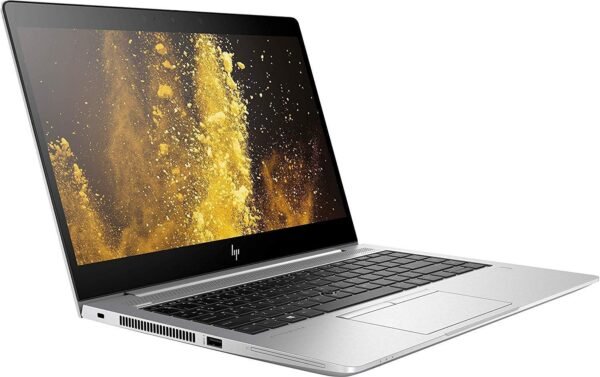
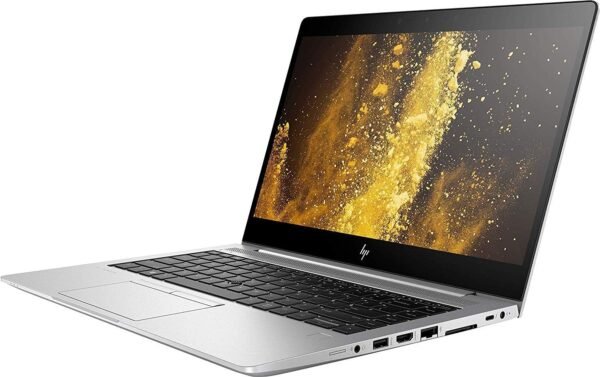
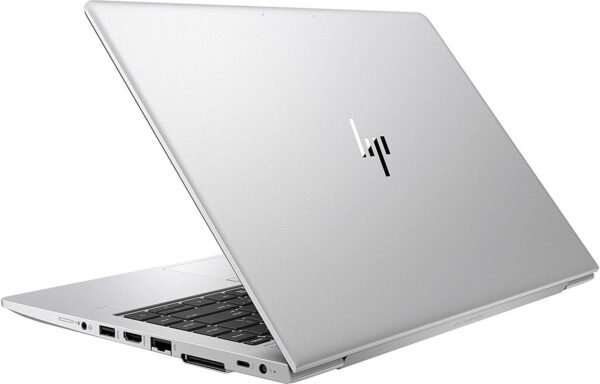
At 3 pounds and 0.71 inches thick, this is a genuinely portable machine, and the EliteBook line’s aluminum construction is a large part of why these laptops remain worth buying secondhand. The listing does not give a port list, which is a notable omission on a business laptop where docking and display connections matter.
Highlights
- 14 inch 1920 x 1080 display in a 3 pound chassis measuring 12.84 x 9.22 x 0.71 inches.
- Intel Core i7 at 1.80 GHz with 16GB of DDR4 memory.
- 512GB solid state drive with no mechanical drive and no optical drive.
- Intel UHD Graphics 620 integrated graphics.
- 802.11ac wireless networking.
- Windows 10 Pro 64-bit preinstalled.
- Sold as a renewed unit, covered by a replacement or refund guarantee.
- EliteBook business chassis, built for fleet deployment durability.
Things To Consider
The specification block contains several entries that make no sense and should be ignored: a memory speed of 1.8 GHz, which is the processor clock rather than a memory figure; a graphics card memory size of 2 MB; a chipset brand field reading “Intel UHD Graphics 620”, which is the graphics part rather than a chipset; a number of processors reading 4, which is the core count; and a voltage field reading 15 volts.
Beyond the operating system question above, three practical points on buying renewed hardware of this age.
First, ask what the warranty actually covers and for how long. The guarantee described in the listing covers replacement or refund if you are dissatisfied, which is not the same as a manufacturer warranty on components.
Second, check what is included. Renewed listings frequently ship the laptop and a charger and nothing else, and a generic charger is not the same as an HP one. Confirm that a suitable power adapter is supplied.
Third, consider the upgrade path. Business laptops of this generation typically have accessible memory slots and an M.2 drive, so memory and storage can often be increased later. That is worth knowing, because it means a renewed machine can be improved rather than replaced. The listing does not confirm serviceability for this model, so check HP’s own service manual if that matters to you.
Who Should Buy It, and Who Should Not
Buy this EliteBook if you want business laptop build quality on a small budget, 16GB of memory and a 512GB drive cover your needs, and you have a clear plan for the operating system, whether that is a Windows 11 upgrade if eligible or a different system entirely. As a second machine, a student laptop or a travel computer where you would rather not risk a new one, renewed business hardware is one of the better values available.
Do not buy it if you need current wireless standards, a warranty on components, or a machine that is guaranteed to run a supported version of Windows without checking. Newer alternatives worth comparing include the Dell Latitude 5420 and the Lenovo ThinkPad T490, and for a larger screen the HP 17t covers a different use. An external display such as the Dell E2423H makes a 14 inch machine far more usable at a desk. Our traditional laptops category covers the range.