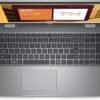
Description
What The Dell Latitude 5550 Is
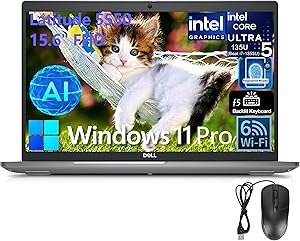
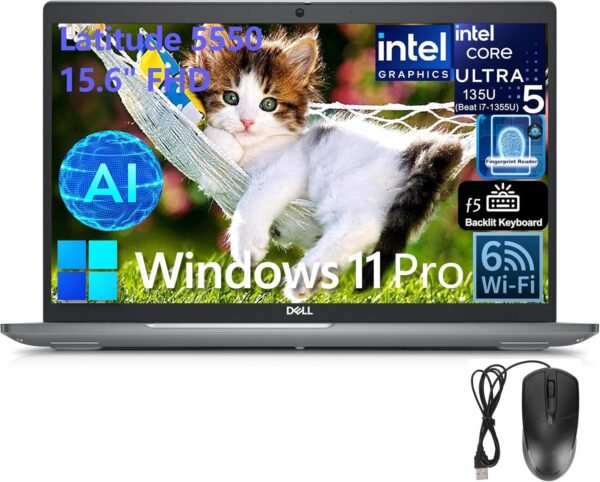
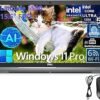
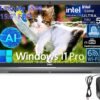
The Latitude 5550 is Dell’s mainstream 15 inch business laptop, and the configuration on this listing is a well equipped one: an Intel Core Ultra 5 135U processor, 32GB of DDR5 memory, a 1TB NVMe solid state drive and Windows 11 Pro. Latitude is the corporate line rather than the consumer line, and the specification reflects that in the details that matter to an IT department: a fingerprint reader, Dell ControlVault 3+, a wedge shaped lock slot, an RJ-45 Ethernet port and Windows 11 Pro rather than Home.
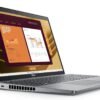
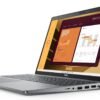
It is a workhorse rather than a showpiece. The display is a 60 Hz non touch panel with modest color coverage, the graphics are integrated, and the chassis is a conventional 15.6 inch clamshell. That places it against machines like the Lenovo ThinkPad E16 Gen 2 and the HP EliteBook 840 G5 rather than against thin and light consumer laptops.
Processor And Memory
Dell lists the Intel Core Ultra 5 135U with 12 MB of cache, 12 cores and 14 threads, and a maximum turbo of up to 4.3 GHz. A feature bullet breaks the core layout down further: two performance cores with hyperthreading enabled, and ten efficient cores made up of eight main efficient cores plus two more in a low power island. That same bullet quotes the performance cores at up to 4.4 GHz, which does not match the 4.3 GHz figure in the main specification block, so the exact turbo ceiling should be confirmed against Intel documentation for the 135U.
Memory is 32GB of DDR5, which is the single most useful number in this configuration. It is double what most business laptops ship with and it is the difference between a machine that handles a browser, a virtual machine and a video call at once and one that does not. Storage is 1TB on an M.2 PCIe NVMe drive. There is no optical drive and graphics are Intel integrated, with no discrete GPU option on this listing.
A Marketing Claim To Set Aside
The product title includes the phrase Beat i7-1355U in parentheses after the processor name. That is a comparative performance claim made by the seller, not a Dell or Intel specification, and there is no benchmark, workload or test condition attached to it anywhere on the page. It should be read as advertising rather than as data. Anyone choosing between processor generations should compare published Intel specifications directly.
Display, Ports And Battery
The panel is a 15.6 inch 1920 by 1080 IPS display, 60 Hz, non touch, with an anti glare finish, 250 nits of brightness and 45 percent NTSC color coverage. Those last two figures are worth reading plainly: 250 nits is adequate indoors and dim near a window, and 45 percent NTSC is a narrow color gamut. This is a panel for documents, spreadsheets and video calls, not for photo or video work. Anyone doing color critical work should plan on an external monitor.
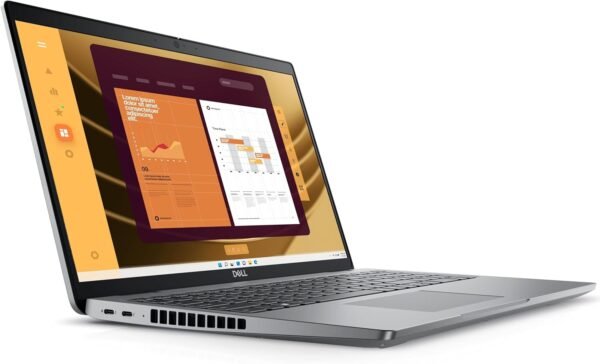
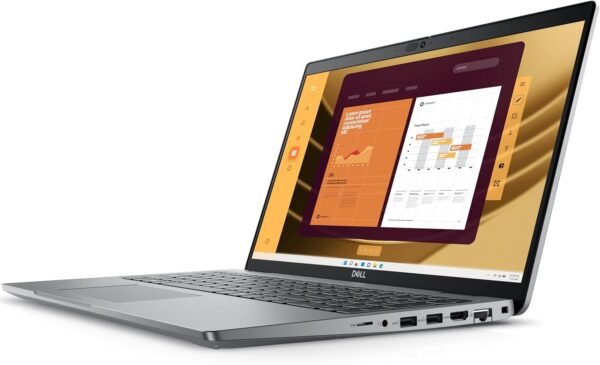
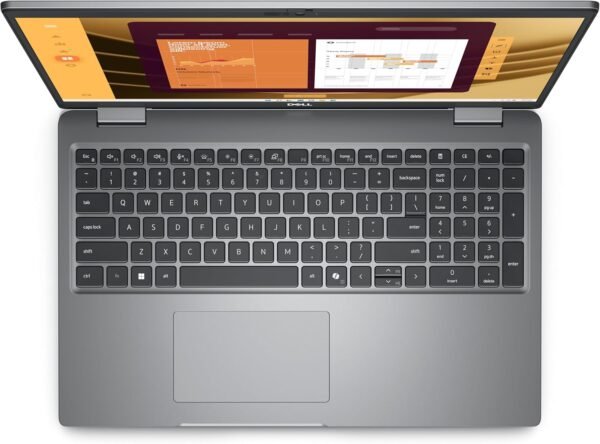
The port selection is the strongest part of the machine. Dell lists two Thunderbolt 4 ports at 40 Gbps with DisplayPort Alt Mode, USB4 and power delivery, one USB 3.2 Gen1 with PowerShare, a second USB 3.2 Gen1, one HDMI 2.1 output, a universal audio jack, an RJ-45 Ethernet port, a microSD card slot and a wedge shaped lock slot. That combination covers docking, wired networking and legacy peripherals without an adapter, which is exactly what a business laptop is bought for. The camera is a 1080p unit at 30 frames per second with dual array microphones, audio is stereo speakers rated 2W each for 4W total with Realtek Waves MaxxAudio, power comes from a 65W USB-C adapter, and the battery is a 3 cell 54 Wh unit described as ExpressCharge capable. The keyboard is a 99 key backlit layout with a numeric keypad.
Highlights
- Intel Core Ultra 5 135U with 12 cores and 14 threads as listed.
- 32GB DDR5 memory.
- 1TB M.2 PCIe NVMe SSD.
- Two Thunderbolt 4 ports with USB4 and power delivery.
- HDMI 2.1 output and an RJ-45 Ethernet port.
- Wi-Fi 6 and Bluetooth 5.3.
- Fingerprint reader and Dell ControlVault 3+.
- 1080p webcam with dual array microphones.
- Backlit 99 key keyboard with numeric keypad.
- Windows 11 Pro and a 54 Wh ExpressCharge capable battery.
Things To Consider
Two figures on this listing disagree with each other. Dell’s own specification block gives a starting weight of 3.58 pounds and dimensions of 14.09 by 9.19 by 0.82 inches, while the specification table lists an item weight of 5 pounds and dimensions of 14.1 by 9.4 by 0.82 inches. The 5 pound figure is most likely shipping weight. The table also lists Number of Processors as 12, which is the core count entered in the wrong field, and describes memory only as DDR while the detailed specification says DDR5.
- The display is 250 nits and 45 percent NTSC, which is dim and narrow for anything color critical.
- 60 Hz non touch panel with no higher refresh or touch option on this configuration.
- Integrated graphics only. No discrete GPU for 3D work or gaming.
- The Beat i7-1355U claim in the title is unsupported advertising, not a specification.
- Maximum turbo is quoted as both 4.3 GHz and 4.4 GHz on the same page.
- A 54 Wh battery is modest for a 15.6 inch machine, so all day runtime is not a safe assumption.
- Weight is listed two different ways, as described above.
Who Should Buy It And Who Should Not
This configuration suits a professional who needs memory and storage headroom in a machine that docks cleanly and has wired Ethernet on board. The two Thunderbolt 4 ports mean a single cable dock, the numeric keypad matters for finance and data entry work, and Windows 11 Pro plus the fingerprint reader and ControlVault fit a managed environment. Buyers comparing Dell’s own range should also look at the Latitude 5420 for a smaller 14 inch chassis and the Latitude 3550 for a lower tier version of the same 15 inch idea.
It is not the right laptop for creative work that depends on color accuracy, for gaming, or for anyone who wants a bright high refresh screen. It is also more machine than a light user needs, and a cheaper 15 inch notebook from the traditional laptops category would cover email and browsing at a fraction of the outlay. Buyers who want a similar business feature set with a different keyboard feel should compare the Lenovo ThinkPad T490.