
Description
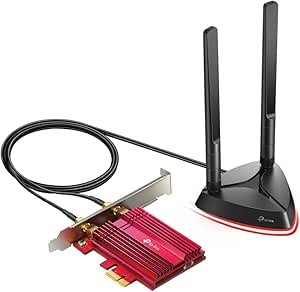
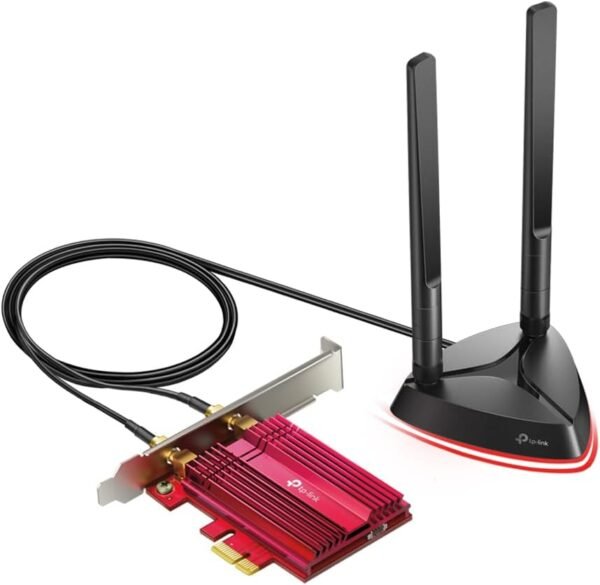
The TP-Link Archer TX3000E is a Wi-Fi 6 network card that installs inside a desktop PC. It is the answer to a specific problem: a tower with no wireless at all, or with an older 802.11ac card that has become the slowest link in the chain. TP-Link rates it as an AX3000 class adapter with a quoted maximum of 2400 Mbps on the 5 GHz band, adds Bluetooth on the same card, and supplies two external antennas on a magnetized base so the radios do not have to sit behind a metal case panel.
What the TX3000E Is, and What It Needs
This is an internal PCIe card, model number Archer TX3000E, with listed product dimensions of 3.75 x 4.76 x 0.85 inches. Before buying, check three things about your PC. First, that you have a free PCIe slot; the card is a short one but it still needs a physical slot and a rear bracket opening. Second, that your motherboard exposes a USB header, because Bluetooth on cards of this design is carried over an internal USB connection rather than over the PCIe bus. Third, that your operating system is supported: the listing names Windows 11 and Windows 10 in 64 bit form and does not mention any other platform, so Linux or macOS users should not assume support.
If you are buying a motherboard at the same time, weigh this card against a board that already includes Wi-Fi. Several current boards ship with wireless on board, including the ASUS Prime B550M-A WiFi II which removes the slot and header questions entirely. The card makes most sense as an upgrade to a machine you already own.
The Wireless Specification
What AX3000 means
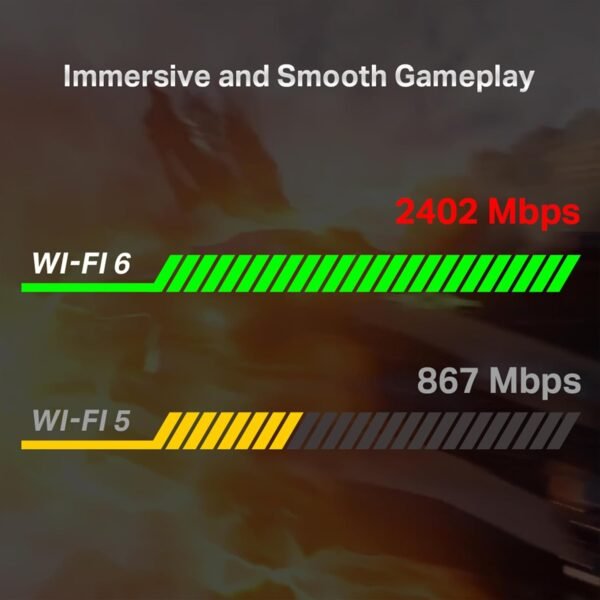
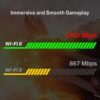
AX3000 is a marketing class rather than a single achievable speed. It is the sum of the theoretical maximums on both bands, and TP-Link separates them out by quoting up to 2400 Mbps for the card. Reaching anything near that number requires a Wi-Fi 6 router capable of 160 MHz channel width, a clean radio environment with that much contiguous spectrum available, and a short distance. TP-Link names the underlying technologies in the listing: 1024-QAM for denser modulation and 160 MHz bandwidth for wider channels.
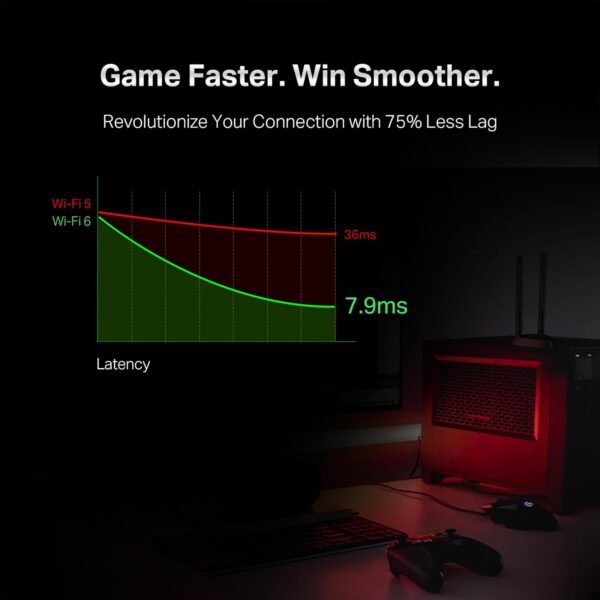
The more useful features on a busy home network are OFDMA and MU-MIMO, both listed. OFDMA lets the router pack transmissions to several devices into one time slot instead of serving them strictly in turn, which reduces waiting when a household has many small, chatty devices. MU-MIMO allows simultaneous streams to multiple clients. Neither raises the peak number for a single PC; both reduce the latency penalty that a single PC pays when everything else in the house is also connected. TP-Link’s own framing of this as ultra low latency is a relative claim against older standards, and a wired connection remains lower latency than any of it. If you have the option of running cable, a wired network interface card is the more predictable route.
Security and build
The listing specifies WPA3 encryption support, which is the current standard and worth having on a card you expect to keep for several years. TP-Link also describes a custom heatsink and gold plated connectors, both aimed at stability under sustained load. Heatsinks on wireless cards are not decoration: sustained high throughput on a card wedged between a graphics card and a case wall does generate heat, and thermal throttling on wireless chipsets shows up as inconsistent speed rather than an error message.
Antennas and Bluetooth
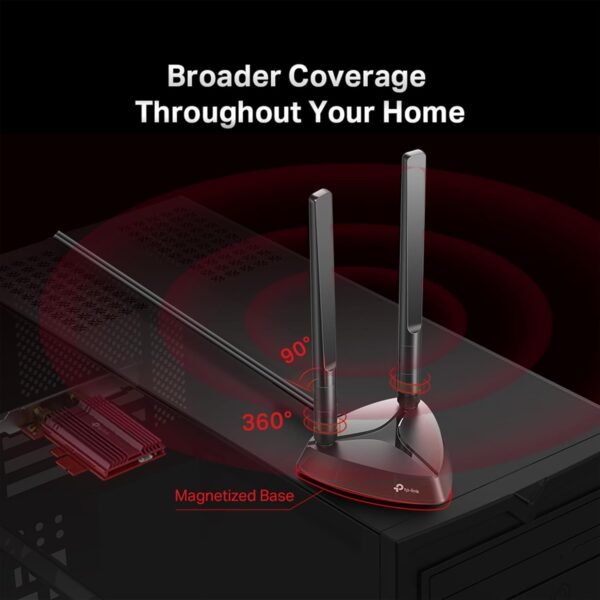
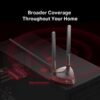
The two supplied antennas are described as high performance and multi directional, mounted on a magnetized base connected by cable. This is the single most practical feature on the card. Antennas screwed directly to a rear bracket sit behind a desk, inside a metal enclosure, close to the floor, which is close to the worst possible position. Being able to stand the base on top of the case or clip it to a shelf is often worth more than any specification on the box.
On Bluetooth, the listing specifies Bluetooth 5.3 and names game controllers, headphones and keyboards as intended clients. Note the version carefully: this product was first listed in January 2020, and the Bluetooth version stated on the page reflects the currently shipping revision rather than every unit ever sold under this model number. If the Bluetooth version specifically matters to you, confirm it on the box before opening. A wireless game controller or a Bluetooth headset will work over any recent version, so for most buyers this is not a decision point.
Highlights
- Dual band 802.11ax Wi-Fi 6 card, AX3000 class, rated by TP-Link at up to 2400 Mbps.
- 1024-QAM and 160 MHz channel width support for peak throughput on a capable router.
- OFDMA and MU-MIMO for better behavior on networks with many connected devices.
- Bluetooth on the same card, listed as version 5.3.
- Two external multi directional antennas on a magnetized, cable connected base.
- WPA3 encryption support, plus a heatsink and gold plated connectors for thermal stability.
- Listed operating system support for 64 bit Windows 11 and Windows 10.
Things To Consider
The listing has one obvious data error worth flagging: item weight is given as 1 pound. A short PCIe wireless card with two antennas does not weigh a pound, and the figure is almost certainly shipping weight or a placeholder. It has no bearing on the product but it is a reminder that the imported specification block should not be read as authoritative.
Beyond that, the real constraints are physical. Bluetooth over an internal USB header means one more cable inside the case, and small form factor builds with a single low profile slot may not accept this card at all. Compact cases such as the darkFlash C275P ITX case leave very little room around the expansion slot, so measure before ordering.
On performance expectations, the 2400 Mbps figure is a physical layer maximum, not a file transfer rate. Real throughput is lower after protocol overhead, and it is capped by whatever your router and your internet service actually deliver. Buying this card will not make a 200 Mbps connection faster than 200 Mbps. What it can do is remove a bottleneck if your current adapter is an old 802.11n or single band 802.11ac part, or if you are moving large files across a local network.
One more point: the card is only half the equation. Wi-Fi 6 features including OFDMA require a Wi-Fi 6 router on the other end. Pairing this card with an older router gives you the card’s fallback compatibility and none of its advantages. A current router such as the ASUS RT-AX1800S is the other half of the upgrade.
Who Should Buy It, and Who Should Not
Buy the TX3000E if you have a desktop with a free PCIe slot and a spare USB header, you already run or plan to run a Wi-Fi 6 router, and running Ethernet to the machine is impractical. The removable antenna base makes it a better bet than a USB dongle in almost every desktop scenario, and having Bluetooth on the same card saves a second purchase.
Do not buy it if you can run a cable, if your PC has no free slot, if you run an operating system TP-Link does not list, or if your router is older and you have no plan to replace it. Users who only need occasional wireless on a laptop or a machine with no free slots should look at a USB Wi-Fi adapter instead. Our network cards category covers the internal options we track.