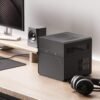
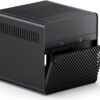
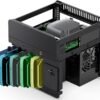
Description
What The JONSBO N2 Is
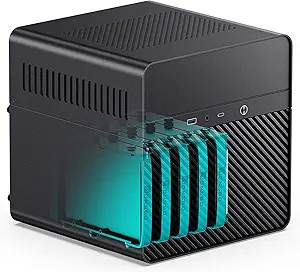
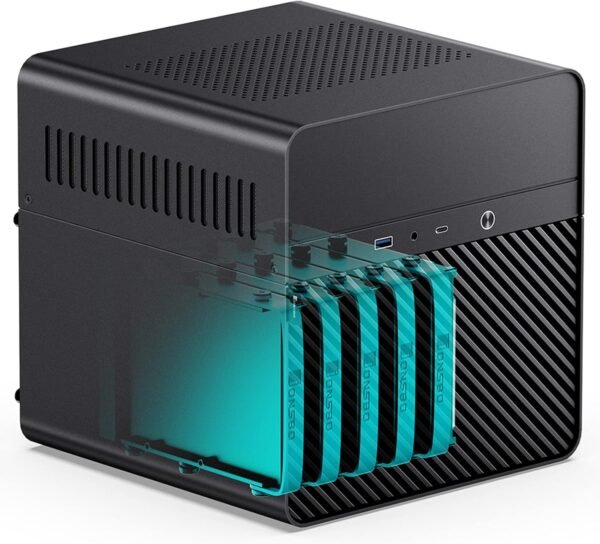
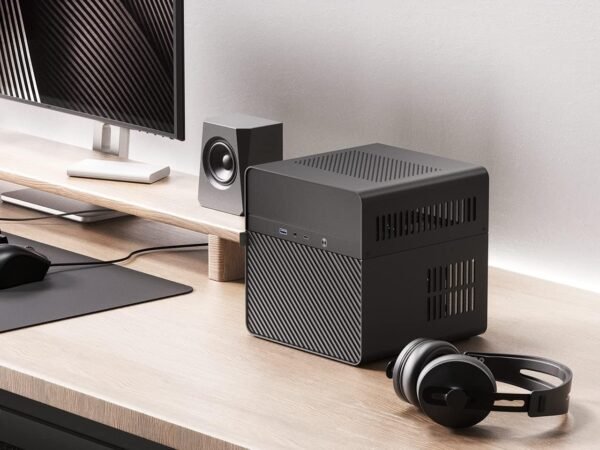
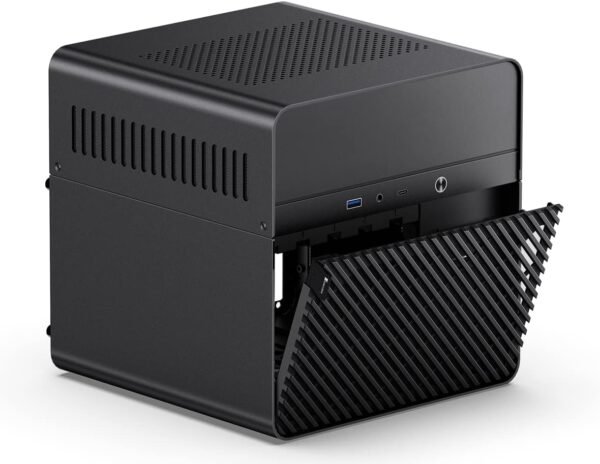
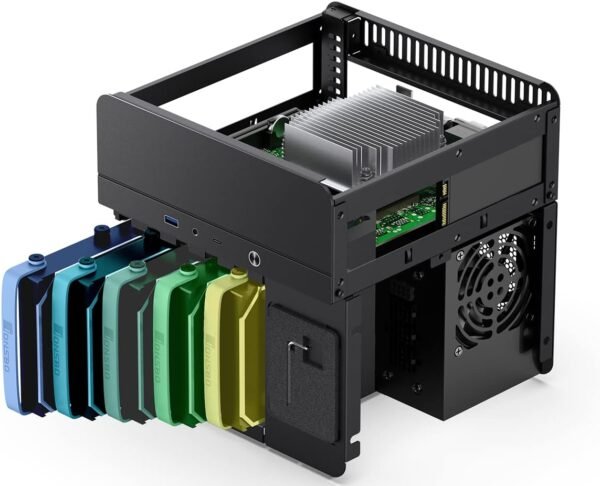
The JONSBO N2 is a Mini ITX case built specifically for network attached storage. That focus shows in the drive count: five 3.5 inch hard drive bays plus one 2.5 inch solid state drive mount, which JONSBO describes as a 5+1 disk bay layout, packed into a cube roughly 8.9 inches on each side. The body is aluminum and the upper cover is integrated and removable, which is how the drive cage is reached.
This is a case for a purpose built machine rather than a general desktop. Anyone who wants a compact gaming or workstation build should be looking at a case like the darkFlash C275P ITX case instead, and anyone who wants network storage without building anything should compare a ready made unit such as the Synology DS923+. The N2 exists for people who want to run their own operating system on their own hardware in a small box.
The Clearance Numbers Decide The Build
Every component choice in this case is governed by three figures, and they are the most important part of the listing. The CPU cooler height limit is 65mm. The power supply must be SFX format with a maximum length of 150mm. The expansion slot accepts a single low profile card up to 197mm long. Motherboard support is ITX only.
A 65mm cooler limit is restrictive and rules out most tower coolers immediately. Low profile designs are the category to shop in, and options such as the Noctua NH-L9i and the Noctua NH-L12 Ghost S1 Edition exist precisely for this situation, though the exact height of any cooler should be checked against the 65mm figure before ordering. The SFX power supply requirement is equally firm: a standard ATX unit will not fit, and SFX supplies are a smaller and more expensive market.
Expansion
The single low profile slot is worth thinking about carefully. In a NAS build the most likely card is a host bus adapter for extra SATA ports or a 10 gigabit network card, not a graphics card. A single low profile slot up to 197mm accommodates either, but only one, so a build that wants both extra storage controllers and faster networking has run out of room. Motherboard choice matters more here than usual, and an ITX board with the right onboard SATA count and network speed, such as the ASRock A520M-ITX/AC, removes the need to spend the slot.
Cooling And Front Panel
Cooling is handled by a built in 120mm fan. One fan for five spinning hard drives, a CPU and a power supply is a modest arrangement, and drive temperatures in dense NAS cases are the usual complaint with this format. The listing does not state fan speed, airflow, noise level or whether the fan is pulse width modulation controlled, so none of that can be assessed from this page. Buyers who care about drive temperatures should plan on checking them after the build and replacing the fan if needed.
The front panel is better than the format usually offers: one USB 3.2 Gen2 Type-C port, one USB 3.0 port, and a combined audio and microphone jack in a single connector. A Type-C port on the front of a NAS case is genuinely useful for copying from external drives without reaching around the back.
One further planning note applies to any dense drive cage. Five 3.5 inch mechanical drives stacked close together transmit vibration into the chassis and into each other, which is why aluminum NAS cases usually include rubber grommets or a decoupled cage. This listing does not describe the drive mounting method, does not mention anti vibration hardware, and does not say whether the bays use trays or direct screw mounting. That is worth confirming, because it affects both noise and long term drive health.
Highlights
- Five 3.5 inch drive bays plus one 2.5 inch SSD mount.
- Aluminum body with a removable integrated upper cover.
- Cube format at roughly 8.9 inches per side.
- Built in 120mm fan.
- SFX power supply support up to 150mm.
- Single low profile expansion slot up to 197mm.
- Front USB 3.2 Gen2 Type-C and USB 3.0.
- Combined audio and microphone front jack.
- Listed weight of 8.03 pounds for the empty case.
Things To Consider
The listing states the case size two different ways. The feature bullets give 222.5 by 222.5 by 224mm, which converts to 8.86 by 8.86 by 8.82 inches, while the specification table lists 8.76 by 8.82 by 8.76 inches. The difference is small but it is a difference, and anyone measuring a shelf should use the manufacturer figure in millimeters. The color field also reads BLACKK, and the USB port count in the specification table lists one USB 2.0 and one USB 3.0 port, which does not match the Type-C and USB 3.0 combination named in the feature bullets.
- 65mm CPU cooler limit rules out most air coolers.
- SFX power supply only. An ATX unit will not fit.
- One low profile expansion slot, so storage controller and network card cannot both be added.
- A single 120mm fan for five hard drives is limited, and no fan specification is published.
- No drive hot swap capability is described in the listing.
- Cable routing in a case this dense is difficult, particularly with an SFX supply and five SATA drives.
- Case dimensions and front port count are each listed two different ways.
Who Should Buy It And Who Should Not
The N2 makes sense for someone building their own network storage box who wants five drive bays in the smallest reasonable footprint and is willing to work within the cooler and power supply limits. Aluminum construction and a removable top cover make maintenance realistic, and the front Type-C port is a practical addition. It is a good match for a low power ITX platform where the processor does not need a large cooler.
It is the wrong case for a gaming build, because a single low profile slot cannot take a modern graphics card, and it is the wrong case for anyone who has not checked cooler height and power supply format before ordering parts. Builders who want more expansion should look at a larger chassis in the computer cases category, and those who want more drive bays without building should compare rackmount and desktop appliances such as the Synology RackStation RS1221+.