





Description
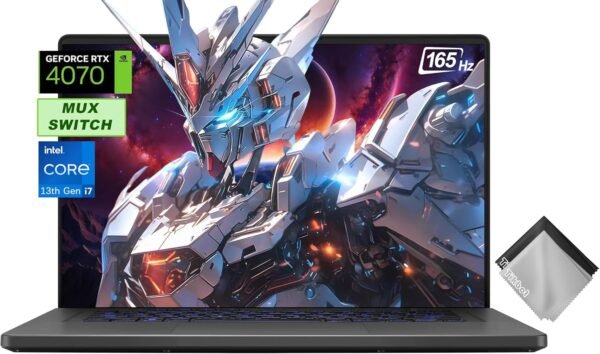
This is an ASUS ROG Zephyrus G16 gaming laptop in a configuration pairing an Intel 13th generation Core i7-13620H with an NVIDIA GeForce RTX 4070, behind a 16 inch 1920 x 1080 display running at 165 Hz. The listing specifies 48GB of RAM, a 2TB PCIe solid state drive, Thunderbolt 4 and a MUX switch, and it includes a cloth in the bundle.
The specification block and description field on this listing are both empty, so everything above comes from the product title. Where a specification a laptop buyer needs is not in that title, this review says so rather than filling the gap.
What the Zephyrus G16 Is
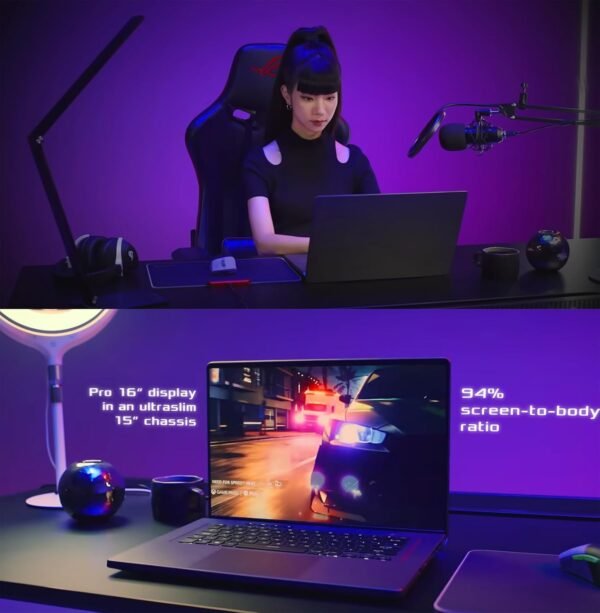
Zephyrus is ASUS’s thinner Republic of Gamers line, positioned as gaming hardware in a chassis you can carry, in contrast to the thicker Strix models that prioritize cooling and port count. That positioning is the reason to choose one: if the machine spends its life on a desk, a Strix or a desktop delivers more performance for the money, and if it travels, the Zephyrus chassis is the point.
The processor here is an i7-13620H, a mobile part in Intel’s H series, which is the mainstream performance tier for laptops rather than the top HX tier. Paired with an RTX 4070 mobile graphics processor, the balance tilts toward graphics rather than processor throughput, which is the sensible arrangement for a machine bought primarily for games. Compare that against the ASUS ROG Strix G16, which pairs a top tier HX processor with a lower tier graphics part; the two configurations suit different work.
The Two Features Worth Understanding
MUX switch
This is the specification most buyers overlook and it has a real effect on game performance. In a laptop with both integrated and discrete graphics, the display is normally wired to the integrated graphics, and frames rendered by the discrete graphics processor are copied across before being displayed. That copy costs performance and adds a small amount of latency.
A MUX switch is a hardware multiplexer that lets the discrete graphics processor drive the display directly, bypassing the integrated path entirely. The gain varies by game and is typically several percent in frame rate, sometimes more. The trade is that when the discrete path is active, battery life falls, because the integrated graphics cannot take over for light work. Most machines with a MUX switch let you choose the mode, restarting to switch. On a gaming laptop this is a feature worth paying for, and its absence on cheaper models is a real difference rather than a marketing detail.
Thunderbolt 4
Thunderbolt 4 on the port list means one connector handles external displays, docking stations and fast external storage, and on many laptops it also carries power delivery for charging. For a machine that travels, a single cable to a desk setup is a genuine convenience. The listing does not state whether charging over Thunderbolt is supported here, or what the full port list is beyond that one connector, so confirm both if you plan to dock the machine.
Display and Memory
The display is listed as 16 inches at 1920 x 1080 with a 165 Hz refresh rate. That combination is a deliberate choice: a lower resolution than the panel options ASUS offers elsewhere in this line, in exchange for frame rates the RTX 4070 can sustain comfortably at high settings. For competitive play that is the right trade. For content work or for a sharper picture, higher resolution panels exist in the same family and are worth checking before ordering, because panel specification varies substantially across Zephyrus configurations. The listing gives no panel technology, no brightness figure, no color gamut coverage and no response time.
Memory deserves particular attention. Forty eight gigabytes is not a standard capacity: it typically results from combining modules of different sizes rather than a matched pair, which can affect memory channel behavior. The listing does not state whether the memory was fitted at the factory or added afterward, whether both slots are populated, or whether the configuration affects the manufacturer warranty. If memory configuration matters to you, ask the seller directly before ordering. A 2TB PCIe drive is generous and means no immediate storage upgrade is needed.
Highlights
- Intel 13th generation Core i7-13620H processor.
- NVIDIA GeForce RTX 4070 discrete graphics.
- 16 inch display at 1920 x 1080 with a 165 Hz refresh rate.
- MUX switch allowing the discrete graphics processor to drive the display directly.
- Thunderbolt 4 for external displays, docks and fast storage.
- 48GB of RAM and a 2TB PCIe solid state drive as listed.
- Zephyrus chassis, ASUS’s thinner gaming laptop line.
Things To Consider
The absence of any specification block leaves a long list of unknowns, several of which matter for a laptop purchase:
- Weight and dimensions are not stated, which is significant on a machine chosen for portability.
- Battery capacity and quoted runtime are not stated.
- The graphics processor’s power limit is not stated. Mobile RTX 4070 implementations vary considerably in the wattage they are allowed to draw, and that variation produces meaningfully different performance between laptops carrying the same graphics name. This is the single most important missing figure.
- The full port list, the charger wattage, the keyboard specification, the webcam resolution and the operating system are all unstated.
- Panel technology, brightness and color coverage are unstated.
Two further points. First, the bundled cloth mentioned in the product title indicates this is a seller assembled bundle rather than a plain retail box. Combined with the unusual memory capacity, that is a reason to confirm warranty handling with the seller before ordering.
Second, understand the thermal reality of a thin gaming laptop. A 16 inch chassis in the Zephyrus line has less cooling capacity than a thicker machine, and sustained load will be limited by cooling rather than by the components themselves. That is the trade you accept for portability, and it is not a fault. What it means practically is that peak benchmark figures are less relevant than sustained ones, and that the machine will be audible under load.
Who Should Buy It, and Who Should Not
Buy this configuration if you want a portable gaming laptop with a genuinely capable graphics processor, the 1920 x 1080 165 Hz panel matches how you play, and the MUX switch and Thunderbolt 4 are features you will use. Forty eight gigabytes of memory and a 2TB drive mean no upgrades are needed for a long time, which is worth something on a machine where upgrades are awkward.
Do not buy it if you need documented specifications before purchase, particularly the graphics power limit, or if you want a higher resolution panel for creative work. If portability is not required, a desktop with a card such as the MSI GeForce RTX 4070 Super delivers more for the money, and for work rather than play a machine like the HP 17t is a different proposition entirely. Accessories worth budgeting for include a wireless gaming headset and a portable second screen. Our traditional laptops category covers the wider field.