


Description
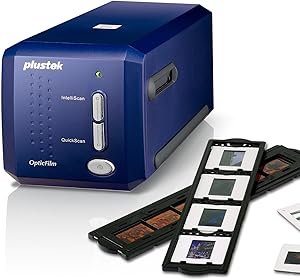
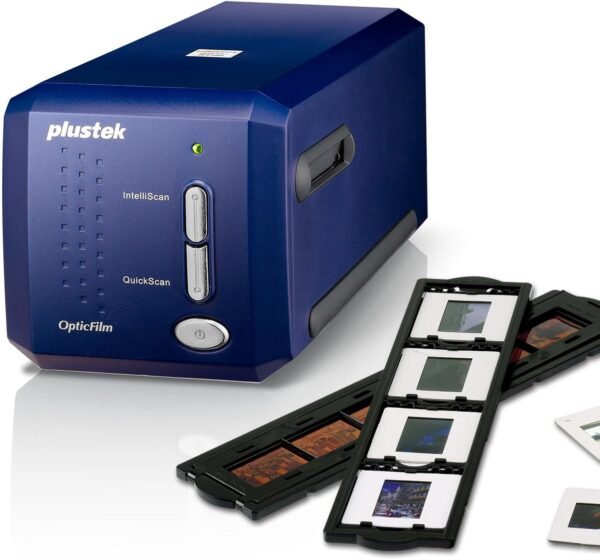
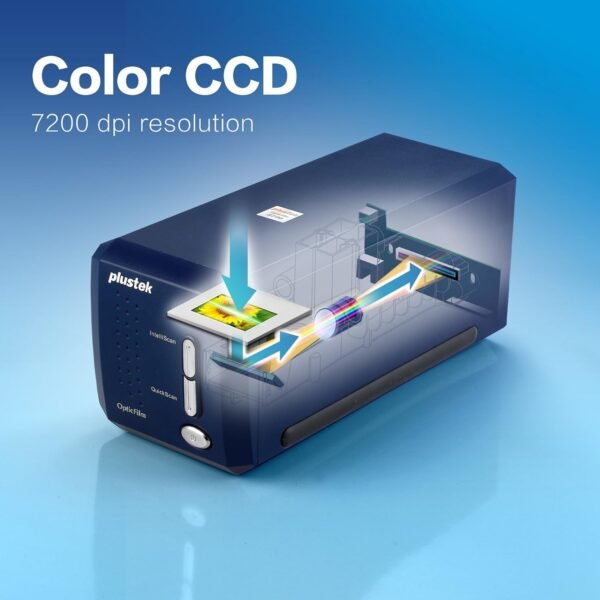
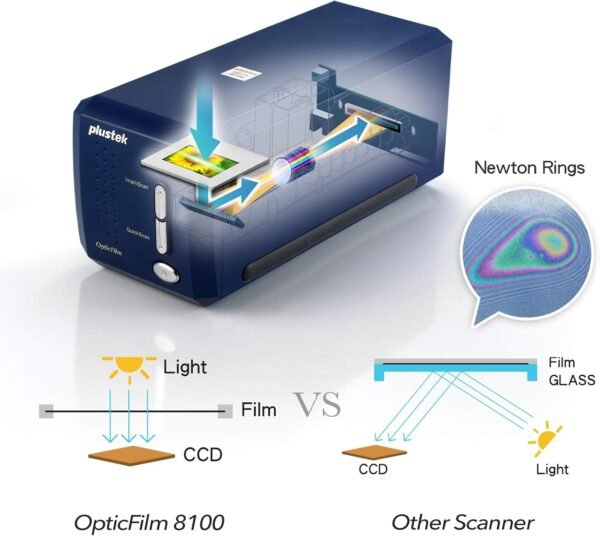
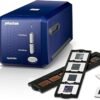
The Plustek OpticFilm 8100 is a dedicated 35mm film scanner, built for one job: digitizing negatives and mounted slides at high resolution. It is not a flatbed and it will not scan documents or prints. Plustek quotes 7200 dpi optical resolution with 48 bit color output, and bundles LaserSoft Imaging SilverFast scanning software, which is the industry standard tool for film digitizing and a meaningful part of what a buyer is paying for.
Anyone who needs to scan paper documents alongside film is in the wrong category here and should look at a sheetfed unit such as the Epson ES-400 II or the compact Brother ADS-1300. A film scanner and a document scanner are different machines that happen to share a word in their names.
Resolution And The 69 Megapixel Claim
Plustek states 7200 dpi and describes the result as a 69 megapixel image, adding that this is equal to a full frame DSLR at 69 megapixels and capable of professional prints up to 20 by 24 inches or larger. The arithmetic behind the megapixel figure is straightforward: a 35mm frame is roughly 36 by 24 millimeters, and scanning that at 7200 dpi produces an image in that range.
The comparison to a DSLR is where the claim becomes marketing rather than specification. Pixel count is not the same as resolved detail, and a scan is limited by the grain and sharpness of the original film as well as by the scanner optics. A 7200 dpi scan of a soft negative does not contain 69 megapixels of real information. What the high resolution setting genuinely provides is headroom for cropping and for large prints, which is a real benefit for anyone digitizing an archive properly rather than for screen viewing.
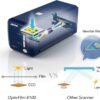
The 48 bit output figure is the more practically useful number. 48 bit color means 16 bits per channel, which preserves far more tonal gradation than an 8 bit file and gives an editor room to recover shadow and highlight detail. Plustek describes the dynamic range as capturing maximum shadows and highlight detail, without publishing a Dmax figure to quantify it.
The Software Bundle
Plustek bundles two applications: its own QuickScan utility, and LaserSoft Imaging SilverFast SE Plus. SilverFast is the reason many buyers choose a Plustek scanner, since it handles negative inversion, film profiles, dust and scratch removal and multi exposure workflows that generic scanning software does not.
There is a direct contradiction in the listing about which version is included. The product title says SilverFast SE Plus 9, while the feature bullet says SilverFast SE Plus 8. Those are different generations of the software with different feature sets and different licensing. The listing gives it both ways and does not reconcile them, so buyers who care about the SilverFast version, and most people buying this scanner will, should confirm with the seller before ordering.
Compatibility And Physical Design
Plustek lists support for Windows 7, 8, 10 and 11, and macOS 10.8.x through 13.x, and states that the driver is downloaded from the Plustek website rather than supplied on media. That is worth planning for on a machine without internet access. The macOS ceiling at 13.x is also worth noting for anyone on a newer version of macOS, since the listing does not claim support beyond that.
The unit measures 4.72 by 10.71 by 4.69 inches and weighs 3.52 pounds, which is small enough to store in a cupboard between projects. A free carry bag is included, which Plustek presents as protecting the scanner from dust and making it easy to transport. Dust protection is not a trivial feature on a film scanner, since dust on the optical path shows up in every scan.
Highlights
- Dedicated 35mm negative and slide scanner at 7200 dpi.
- 48 bit color output, meaning 16 bits per channel.
- Bundled Plustek QuickScan and LaserSoft Imaging SilverFast SE Plus.
- Windows 7 through 11 and macOS 10.8 through 13 support.
- Compact 4.72 by 10.71 by 4.69 inch body at 3.52 pounds.
- Carry and dust protection bag included.
Things To Consider
This is an old product. Plustek first listed it in October 2012, and it is still current in the sense that Plustek has not discontinued it, but buyers should be aware they are purchasing a design more than a decade old. Film scanner technology does not move quickly, so that is less damaging than it would be in another category, but the macOS support ceiling reflects the age.
The listing is unusually thin on the specifications that matter for a film scanner. There is no Dmax or dynamic range figure, no stated scan time per frame, no interface specification, no information on how many frames the film holders accept, and no detail on whether the holders handle both strips and mounted slides or require different carriers. The description field is completely empty. For a specialist product bought by people who care about specifics, that is a poor data sheet.
Customer feedback is modest and mixed: 3.9 stars across 194 ratings. That is a small sample with a middling average, and buyers should read through the reviews rather than take the number at face value. Film scanning is also slow work by nature, frame by frame, and anyone with thousands of negatives should think seriously about the time commitment before buying. Readers can compare it with other scanning hardware in the slide and negative scanners category and the wider document scanners category, or look at the Canon DR-G1100 for high volume paper work.
Who It Suits
The OpticFilm 8100 suits someone with a personal or family archive of 35mm negatives and slides who wants archival quality digital files rather than quick snapshots, is willing to work frame by frame, and values the SilverFast software as much as the hardware. The 48 bit output and high resolution give real editing latitude.
It is the wrong choice for medium format or large format film, for scanning prints or documents, for anyone who needs to digitize a large archive quickly, and for buyers who want current generation macOS support confirmed. Anyone who cares which SilverFast version they receive should resolve the version contradiction with the seller first.