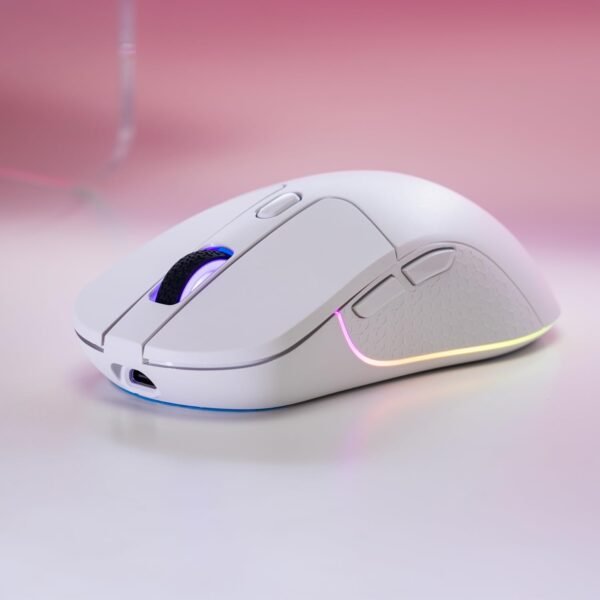

Description
What The Keychron M3 Is
The Keychron M3 is a lightweight wireless gaming mouse built around a well known sensor and three connection options. Keychron positions it as suitable for work, gaming and travel rather than exclusively for gaming, which is consistent with the specification: a 79 gram body, a 1000 Hz polling rate and a programmable macro button rather than a wall of side keys.
Keychron is better known for mechanical keyboards, and the M3 is designed to sit alongside them. Anyone already using a Keychron board such as the Keychron Q1 or the Keychron K13 Pro will recognize the approach: a plain shape, solid components and configuration options rather than aggressive styling.
The Sensor, And What The Numbers Mean
The M3 uses a PixArt PAW3395 optical sensor, which Keychron describes as a competitive grade chip. Three figures come with it, and each says something different.
The 26,000 DPI maximum is the headline and the least useful of the three. DPI describes how far the cursor travels per inch of hand movement, and most players use a small fraction of that ceiling. What a high maximum indicates is sensor quality rather than a setting anyone will use. The 650 IPS figure is more informative: inches per second describes how fast the mouse can be moved before the sensor loses tracking, and 650 IPS is high enough that a low sensitivity player making broad arm sweeps will not outrun it. The 1000 Hz polling rate means the mouse reports its position to the computer a thousand times per second, which is the standard for wired and wireless gaming mice and equates to one millisecond intervals.
Three Connections
Tri mode means 2.4 GHz wireless for low latency play, Bluetooth 5.1 for laptops and tablets where a dongle is inconvenient, and a wired connection that also charges the mouse. That combination removes the main objection to wireless mice, since a flat battery mid session becomes a cable rather than a stoppage. The battery is described in the specification as a nonstandard battery, which means an internal rechargeable cell rather than AA or AAA cells.
Weight And Build
The 79 gram figure is the specification most likely to matter day to day. Lightweight mice reduce the effort of repeated movement, which is why the competitive market moved toward them, and 79 grams is genuinely light for a wireless mouse carrying a battery and two radios. The specification table lists 2.79 ounces, which converts to almost exactly 79 grams, so for once the two figures on this listing agree.
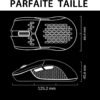
Lighting is LED RGB backlighting, and one programmable macro button is named. Beyond that the listing does not describe the button layout, the switch type, the switch rating in clicks, the shape or the grip style it suits. For a mouse, shape is the single most important quality, so those omissions matter more than they would on most products.
One further point worth making about tri mode mice in general. The 2.4 GHz dongle and the Bluetooth radio are separate systems, and switching between them is usually a physical switch or a key combination rather than something automatic. Bluetooth introduces more latency than a 2.4 GHz link, which is fine for a document or a browser and noticeable in a fast game. Knowing which mode is active matters, and the wired connection sidesteps the question entirely while charging the battery.
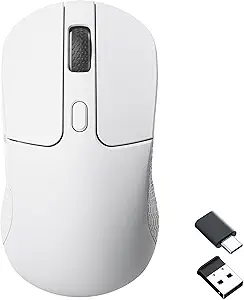
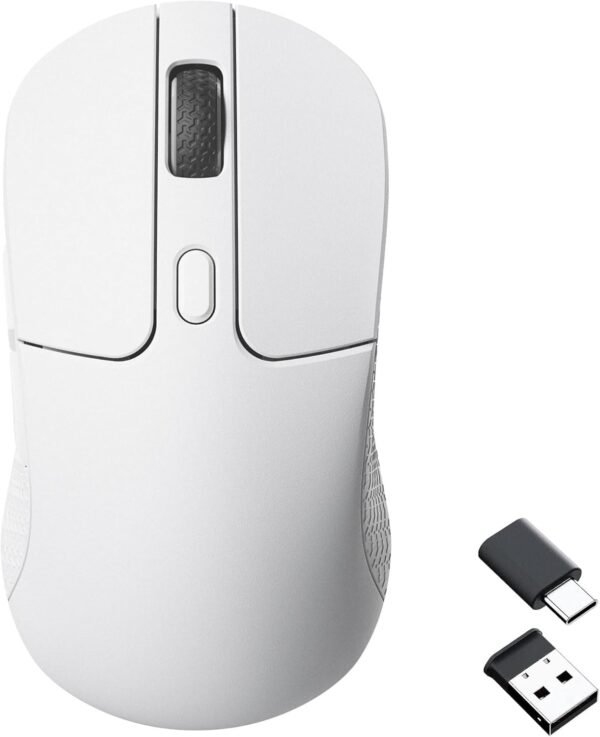
The listing also does not describe what happens to the dongle when it is not in use. Many wireless mice store the receiver inside the body or under a magnetic cover, which is the difference between a mouse that travels well and one whose dongle disappears into a bag. Because the page does not mention dongle storage, that is worth checking in the product images before ordering.
Highlights
- 2.4 GHz wireless, Bluetooth 5.1 and wired connection in one mouse.
- PixArt PAW3395 optical sensor.
- Stated maximum of 26,000 DPI.
- Tracking speed quoted at up to 650 IPS.
- 1000 Hz polling rate.
- 79 gram body weight.
- Programmable macro button.
- RGB backlighting.
- Rechargeable internal battery.
- Listed compatibility with Windows PC and Mac.
Things To Consider
The listing cannot agree with itself on color. The product title ends with White, while the product description ends with Black. Those are the only two color statements on the page and they contradict each other, so anyone who cares which one arrives should confirm before ordering. The rest of the specification table is nearly empty: there is no battery life figure, no charging time, no dimensions for the mouse itself, no button count and no switch specification. The only dimensions given are package dimensions of 7.56 by 5.31 by 2.05 inches, which describe the box.
- The title says white and the description says black.
- No battery life or charging time is published anywhere on the listing.
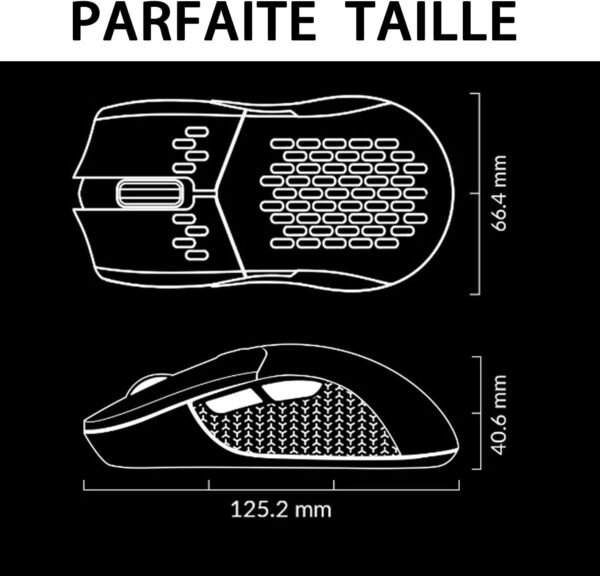
- Mouse dimensions are not given, only package dimensions, so hand fit cannot be judged.
- Button count and switch type are not described.
- No software name is given, so how the macro button and DPI steps are configured is unclear.
- Polling rate is 1000 Hz, which is standard rather than the 4000 Hz or 8000 Hz some competitors offer.
- An internal battery cannot be swapped in the middle of a session, only recharged over the cable.
Who Should Buy It And Who Should Not
The M3 suits someone who wants one mouse for a desktop, a laptop and travel, and who values low weight and a strong sensor over an elaborate button array. Tri mode connectivity is the practical selling point: the dongle stays with the desktop, Bluetooth handles the laptop, and the cable covers a flat battery. For a mixed work and gaming setup that is a sensible design.
It is the wrong mouse for anyone who needs a documented shape and weight before buying, since this listing publishes neither the dimensions nor a grip recommendation, and for competitive players who want polling rates above 1000 Hz. Buyers who prefer a wired mouse with no battery to consider should compare the Redragon M711 Cobra, those who want quiet office use should look at the Logitech M220 Silent, and anyone with wrist strain should consider an ergonomic option such as the Nulea M512 trackball. The gaming mice category and the wider mice category cover both directions.