

Description
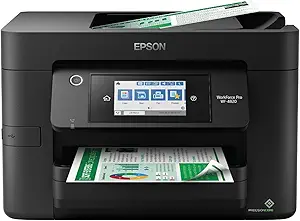
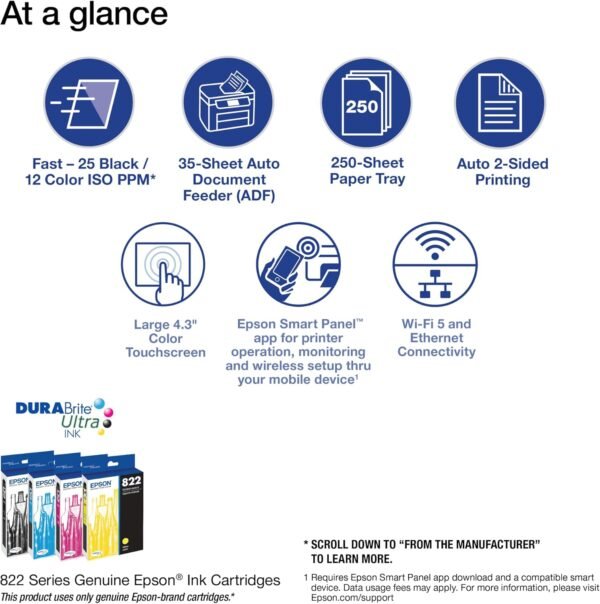
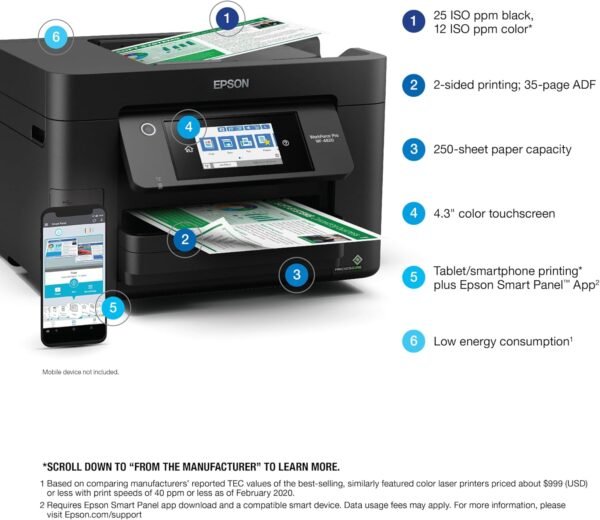
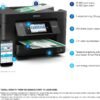
The Epson WorkForce Pro WF-4820 is a color inkjet all in one built for small office print, scan, copy and fax work rather than photo printing. Epson rates it at 25 black and 12 color ISO pages per minute, pairs it with a 250 sheet paper tray and a 4.3 inch color touchscreen, and positions it against similarly priced color laser machines on energy use. It is a cartridge printer, not a refillable tank printer, and that distinction drives most of the buying decision.
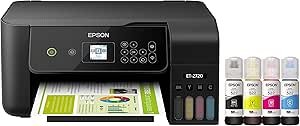
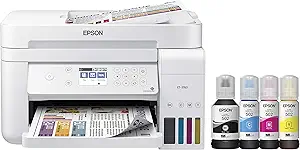
Offices weighing running costs against purchase cost should compare it directly with Epson’s tank based models, because they sit in the same catalog for very different reasons. The Epson EcoTank ET-3760 and the smaller Epson EcoTank ET-2720 trade a higher entry price for bottled ink, while the WF-4820 keeps the entry price down and puts the cost in cartridges.
Print Engine And Rated Speed
Epson uses its PrecisionCore Heat-Free print head here, which the company describes as placing ink dots without a heating cycle, and pairs it with DURABrite Ultra pigment ink that Epson markets as quick drying. The rated 25 black and 12 color ISO pages per minute figures are measured to ISO/IEC 24734, and Epson states in its own footnotes that actual print times vary with system configuration, software and page complexity. Those are manufacturer test numbers, not a promise about any particular document.
Print resolution is listed as 4800 by 2400 dpi for both black and color output. The listing gives copy speed as up to 40 ppm in black and white, with copy resolution of 4800 dpi in mono and 2400 dpi in color. Memory is listed at 128 MB, wattage at 18 watts, and the maximum media size at 8.5 by 14 inches, which covers legal paper.
Paper Handling And The Touchscreen
The WF-4820 carries a 250 sheet input capacity with automatic duplex printing, so double sided documents do not require manual reloading. The document feeder holds 35 pages and is single sided only, which means duplex originals have to be flipped by hand when copying or scanning. For an office that scans two sided contracts regularly, that is a real workflow limit and a dedicated scanner such as the Epson ES-400 II may be the better companion.
Controls run through a 4.3 inch color touchscreen. Connectivity covers Ethernet and USB on the wired side, plus built in wireless and Wi-Fi Direct, and Epson notes that wireless setup can be handled from a smartphone using Bluetooth Low Energy. The Epson Smart Panel app is required for some of the mobile features, and Epson states that most connected features need an internet connection to the printer as well as an internet or email enabled device.
Scanning, Security And What Comes In The Box
The scanner is a flatbed image scanner driven by Epson ScanSmart software on the computer side. Epson also lists security features including secure wireless and Secure Data Erase, which matters for offices that print or scan anything sensitive and want stored jobs cleared from the device.
The included components list is specific: the printer itself, a quick setup guide, a CD-ROM with drivers, a power cord, and four DURABrite Ultra cartridges, one black and three color in cyan, magenta and yellow. The listing does not say whether those are full capacity or starter cartridges, so buyers should not assume a full yield out of the box. Epson also states clearly that the printer uses only genuine Epson brand cartridges, and that other brands are not compatible and may not function properly even when described as compatible. That is a long term consumable commitment.
Highlights
- Rated 25 black and 12 color ISO pages per minute, measured to ISO/IEC 24734.
- 4800 by 2400 dpi print resolution in both black and color.
- 250 sheet input tray with automatic two sided printing.
- 4.3 inch color touchscreen with app based mobile setup and control.
- Ethernet, USB, built in wireless and Wi-Fi Direct.
- Print, scan, copy and fax in one unit, with secure wireless and Secure Data Erase listed.
Things To Consider
The specification sheet on this listing contains several fields that look like import errors rather than real attributes. Controller Type is given as Android, Control Method as Voice, and Compatible Devices as Smartphones, none of which describes how an office actually drives a networked printer. Dualsided printing is listed as Yes in one field and Duplex as Automatic in another, while a separate line reports the same capability again, so the data is duplicated rather than contradictory. The 18 watt figure is almost certainly an idle or typical rating rather than peak draw, and the listing does not say which.
Customer feedback sits at 3.8 stars across 2,933 ratings, which is middling for a business inkjet and worth reading through before committing. The cartridge lock in is the other thing to weigh: a busy office that prints thousands of pages a month will spend more on ink here than on toner in a mono laser, and buyers whose volume is high but color needs are low should look at machines like the Brother MFC-L2700DW or browse the wider laser printers category before deciding. The full ink tank printers category covers the refillable alternatives.
One more practical note: this is a 22.5 pound machine measuring roughly 16.7 inches deep by 19.8 wide by 10.9 high. It needs real desk or cabinet space and clearance above for the scanner lid.
Who It Suits
The WF-4820 fits a small office or home office that needs color output some of the time, wants fax and copy functions in the same box, prints in the low hundreds of pages per month, and prefers a lower purchase price over the lowest possible cost per page. Wired Ethernet and the security features make it a reasonable fit for a shared office network rather than a single desk.
It is a poor fit for anyone printing heavy monthly volume, for offices that scan double sided originals in bulk, for photo focused users who want a dedicated photo printer, and for buyers who object on principle to a printer that refuses third party cartridges. Those buyers are better served by a tank printer or a laser machine.