Dell Latitude 3550 Laptop Review for Professionals: Performance Meets Portability
Dell Latitude 3550 Laptop Review for Professionals: Performance Meets Portability
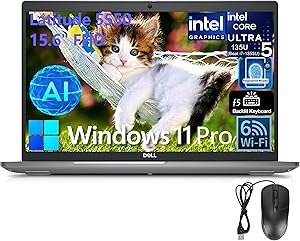
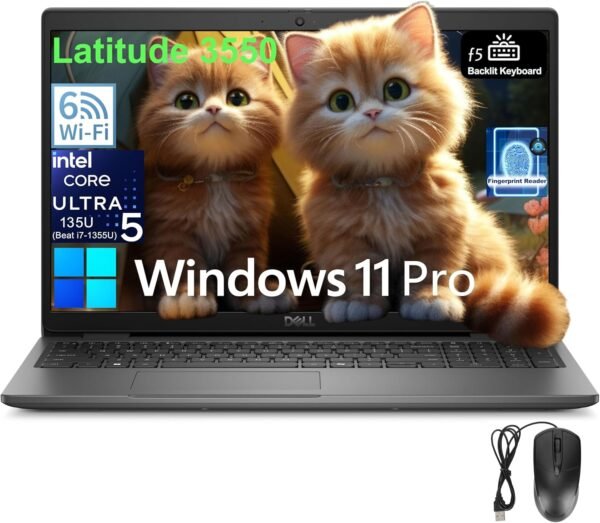
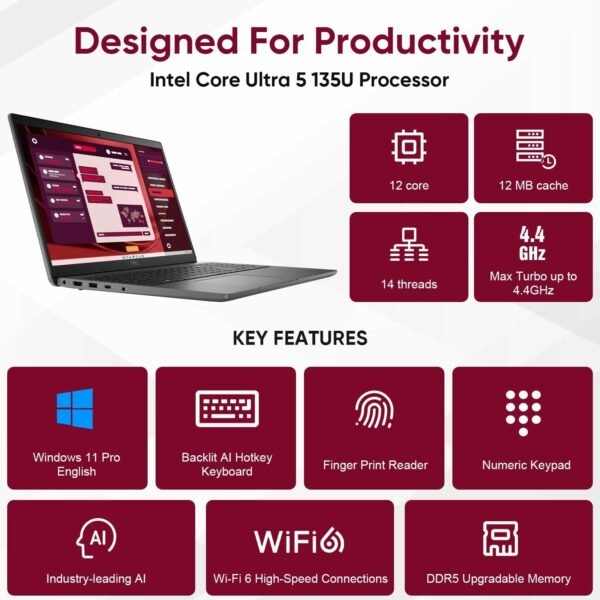
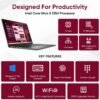
Powerful Performance: The Dell Latitude 3550 is equipped with an Intel Core Ultra 5 135U processor, boasting 12 cores and 14 threads, allowing for seamless multitasking and efficient handling of demanding applications.
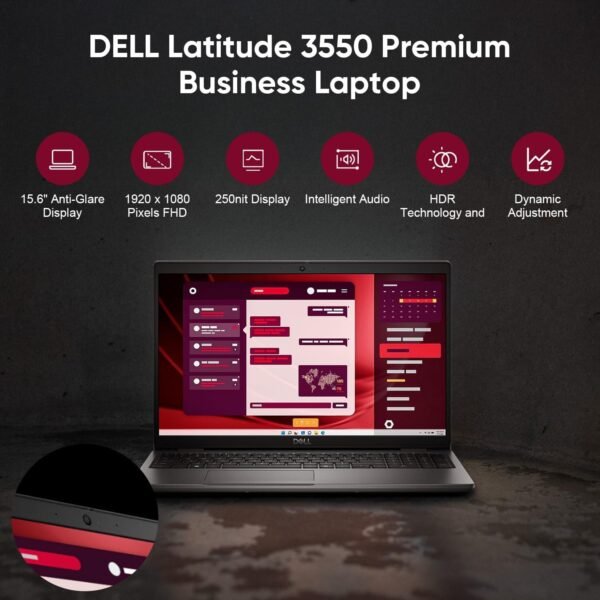
Stunning Display: Experience vibrant visuals on the 15.6-inch FHD (1920 x 1080) anti-glare display, which is perfect for both work and entertainment, enhancing clarity and reducing eye strain.
Ample Storage and Memory: With a generous 32GB DDR5 RAM and a 1TB PCIe NVMe SSD, this laptop ensures quick access to files and applications, significantly improving productivity.
Versatile Connectivity: Multiple ports, including USB-C with Power Delivery, HDMI, and Ethernet, offer flexibility for various devices and peripherals, making it ideal for a professional setting.
As an Amazon Associate I earn from qualifying purchases.
Description
Design and Build Quality
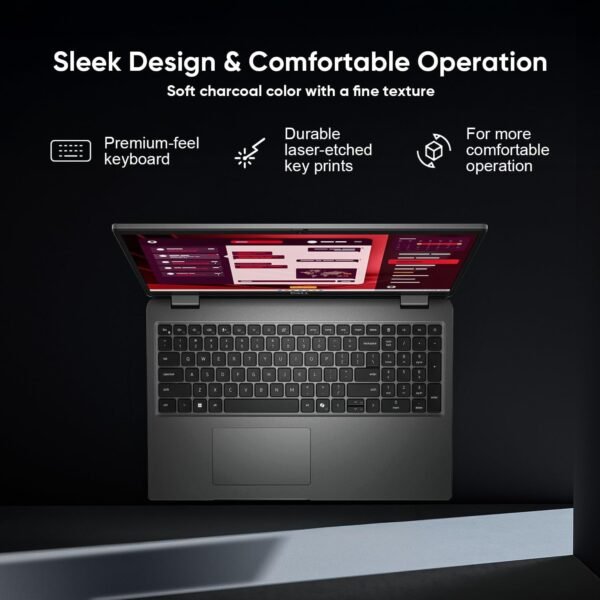
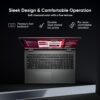
The Dell Latitude 3550 Laptop impresses with its sleek and professional design. Weighing in at just under 4 pounds, it offers a balance of portability and durability. The 15.6-inch FHD display with an anti-glare finish ensures comfort during extended use, whether in bright offices or cozy home corners. I’ve used it in various lighting conditions, and the 250 nits brightness really stands out. The backlit keyboard is a welcome feature, especially for late-night work sessions, allowing for easy typing without straining my eyes. Overall, the materials feel solid, and the laptop exudes a sense of reliability that is essential for busy professionals.
Performance and Speed
Performance-wise, this laptop is a beast. The Intel Core Ultra 5 135U processor, equipped with 12 cores and 14 threads, handles multitasking with ease. I’ve seamlessly run several applications simultaneously, from spreadsheets to video conferencing, without any hiccups. The 32GB of DDR5 RAM enhances this experience, allowing for smooth operation even with resource-intensive tasks. Additionally, the 1TB PCIe SSD ensures quick boot times and rapid access to files. In my testing, it booted up in mere seconds, and transferring large files was almost instantaneous. This level of efficiency is precisely what I need to stay productive.
Connectivity Options
Connectivity is another strong suit of the Latitude 3550. The laptop includes a USB 4 Gen 2 Type-C port that supports power delivery and DisplayPort, making it versatile for various setups. With three USB 3.2 ports, an HDMI 1.4 port, and an RJ-45 Ethernet port, I have ample options for connecting peripherals, monitors, and networks. The inclusion of Wi-Fi 6 and Bluetooth 5.3 ensures that I can connect to the latest devices without any issues. My experience with streaming and online meetings has been smooth, with minimal lag or connection drops.
User-Focused Features
A standout feature that I appreciate is the fingerprint reader integrated into the power button. This adds a layer of security while maintaining convenience. Logging in is as simple as pressing the button, which is especially handy during busy mornings. The 1080p webcam provides clear video quality for calls, and the dual-array microphones effectively filter out background noise. During meetings, my colleagues noted that my voice was clear and crisp, which is a definite plus.
Battery Life and Efficiency
Battery life has proven to be quite satisfactory. I can easily get through a full day of work without reaching for the charger. With the 65W AC adapter, it charges quickly too, which is a blessing during those in-between meetings. Although there are laptops that boast longer battery life, the Latitude 3550 strikes a nice balance between performance and longevity. It ensures I remain productive without the constant worry of running out of juice.
Competitive Options
In comparison to its rivals, the Dell Latitude 3550 holds its own quite well. Competing products like the HP EliteBook 840 G9 and Lenovo ThinkPad X1 Carbon are often touted for their performance and build quality. However, the Latitude’s robust performance at a comparable price point makes it an appealing choice for business professionals. While the ThinkPad may offer slightly better keyboard comfort and travel, the Dell’s overall performance, with its powerful processor and ample RAM, truly shines.
Value for Money
This laptop certainly provides value for money. While there are cheaper options available, the features and performance of the Latitude 3550 justify its price range. The combination of a powerful processor, generous memory, and solid build quality means that I’m not just buying a device; I’m investing in productivity and efficiency. For anyone serious about their work, this laptop is worth every penny.
Considerations and Potential Drawbacks
Despite the many positives, a few aspects might not suit everyone. One notable point is the weight; while it’s not excessively heavy, some lightweight alternatives exist that might be more suitable for frequent travelers. Additionally, the display, while adequate, may not satisfy users seeking high-end graphics for gaming or graphic design, as it lacks a higher refresh rate or touch capability.
Pros:
- Powerful Intel Core Ultra 5 135U processor.
- Ample 32GB DDR5 RAM for multitasking.
- Versatile connectivity options including USB-C.
- Convenient fingerprint reader for security.
Cons:
- Slightly heavier than some competitors.
- Display lacks touch functionality.
- Limited high-refresh-rate options for gaming.
The Dell Latitude 3550 Laptop stands out as a reliable choice for those seeking a balance of performance, build quality, and connectivity. Whether tackling office tasks or working remotely, this laptop delivers on its promises and provides a satisfying user experience.
Additional information
| Standing screen display size | 15.6 Inches |
|---|---|
| Screen Resolution | 1920 x 1080 pixels |
| Max Screen Resolution | 1920×1080 Pixels |
| Processor | 1.3 GHz intel_core_ultra_5 |
| RAM | 32 GB DDR |
| Hard Drive | 1 TB SSD |
| Graphics Coprocessor | Intel Graphics |
| Chipset Brand | Intel |
| Card Description | Integrated |
| Wireless Type | 802.11ax |
| Number of USB 30 Ports | 3 |
| Brand | Dell |
| Series | Latitude |
| Item model number | 3550 |
| Hardware Platform | PC |
| Operating System | Windows 11 Pro |
| Item Weight | 5 pounds |
| Product Dimensions | 14.1 x 9.4 x 0.71 inches |
| Item Dimensions LxWxH | 14.1 x 9.4 x 0.71 inches |
| Color | Black |
| Processor Brand | Intel |
| Number of Processors | 12 |
| Computer Memory Type | DDR5 RAM |
| Hard Drive Interface | PCIE x 4 |
| Optical Drive Type | No Optical Drive |