Description
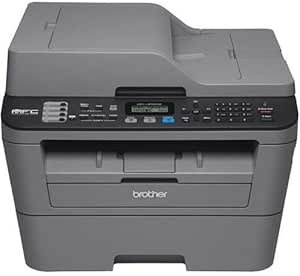
The Brother MFC-L2700DW is a monochrome laser all-in-one for homes and small offices. It prints, copies, scans and faxes. Brother lists print and copy speeds of up to 27 pages per minute, a print resolution of 2400 x 600 dpi, a 250 sheet paper tray, an automatic document feeder holding up to 35 pages, automatic two sided printing, and connectivity over wireless or Ethernet. The listing dates to March 2015, which makes this a long serving design rather than a current release.
What an All-in-One Adds
The four functions in one box is the point of this machine, and each has a different weight in practice. Printing is the primary job. Copying and scanning together are what most households actually miss when they own a printer without them, since scanning receipts, forms and documents comes up constantly. Fax is included and used by a shrinking number of buyers, though some sectors still require it.
The automatic document feeder is the feature that separates this from a basic all-in-one. Brother’s description gives it a capacity of up to 35 pages, which means a multi page document can be copied or scanned in one operation instead of being placed on the glass page by page. For anyone digitizing paperwork, that changes scanning from a chore into a background task. Note the specification block describes the scanner type as sheetfed.
One detail worth clarifying, because the listing appears to contradict itself: this is a monochrome printer that scans in color. Brother’s own feature list mentions versatile, high quality color scanning while the product title says monochrome. Both are correct. The laser engine prints black and white only, and the scanner captures color. That combination is normal and useful: you can scan a color document to a color PDF even though the printer cannot reproduce it on paper.
Speed, Resolution and Paper Handling
Print and copy speeds are both quoted at up to 27 pages per minute. For a desktop machine at this level that is respectable, and it is the kind of speed that makes printing a twenty page document a background event rather than a wait. Print resolution is listed as 2400 x 600 dpi, which is more than sufficient for text and business graphics, and the scanner is listed at 600 dpi.
Paper handling is a 250 sheet tray, which is standard for the class and means refilling roughly every half ream. Brother also describes a straight-through paper path, which is the feature that lets heavier stock and envelopes pass without being bent around a tight curve. The maximum copies per run is listed at 5000. Automatic duplex printing is included, halving paper consumption on long documents.
Brother also names an ID copy feature, which copies both sides of an identity card onto a single sheet in one operation. It sounds trivial and is one of those functions that saves several minutes every time it comes up.
Connectivity and Consumables
The machine connects over wireless networking or Ethernet, and Brother describes printing from compatible mobile devices over the wireless network and scanning to a range of destinations including cloud services. Having both wireless and wired is the right arrangement: wireless for laptops and phones, Ethernet for a connection that does not depend on the wireless network staying healthy.
On consumables, this machine takes the Brother TN660 family of toner cartridges. The TN660 listing names the MFC-L2700DW explicitly in its compatibility list, so that is the high yield cartridge to order for it. Note that this generation of Brother monochrome laser uses a separate drum unit alongside the toner cartridge, replaced on a different schedule with its own part number. This listing does not state the drum part number, the drum’s expected life or whether a starter toner ships with the machine. Establish all three before working out running costs, because on a laser printer the consumables decide the cost of ownership rather than the purchase price.
Be aware also that newer Brother monochrome machines use an entirely different cartridge family. The Brother TN830XL does not list this printer among its compatible models, and buying it for an MFC-L2700DW would be a mistake.
Highlights
- Monochrome laser all-in-one with print, copy, scan and fax functions.
- Up to 27 pages per minute printing and copying.
- Print resolution listed at 2400 x 600 dpi, scanning at 600 dpi.
- 250 sheet input tray and an automatic document feeder up to 35 pages.
- Automatic two sided printing and a straight-through paper path.
- Wireless and Ethernet networking, with mobile printing and scan to cloud.
- Color scanning despite monochrome printing.
- ID copy feature and an LCD control display.
- One year limited warranty with phone support stated for the life of the product.
Things To Consider
The main consideration is age. A March 2015 listing means the design predates a decade of changes in mobile printing standards, security expectations and driver models. That is not automatically a problem, since laser printers are long lived and Brother supports them well, but two things are worth checking: that current drivers exist for your operating system version, and that the mobile printing and cloud scanning features named in the description still work with the services you use. Cloud service integrations on printers of this age frequently stop working when the service changes its authentication.
The specification block also has errors. Product dimensions of 18 x 16 x 20 inches and a weight of 28.5 pounds describe the shipping carton rather than the machine on a desk. The ink color field reads Black while the printer ink type field correctly says Toner. The control method field lists “Remote, Touch” while the display type is a plain LCD.
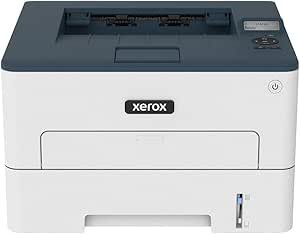
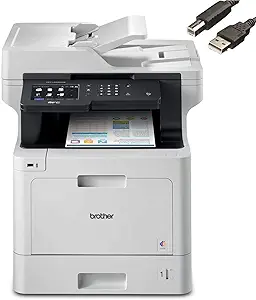
Two practical points. First, this is a mono printer, so if you occasionally need color you will need a second machine or a print shop. If color is a regular requirement, a color laser all-in-one such as the Brother MFC-L8900CDW covers it. Second, an all-in-one has more moving parts than a print only machine, and the document feeder rollers are the component most likely to need attention over time. If you never scan or copy, a simpler machine such as the Xerox B230 removes that failure point entirely.
Who Should Buy It, and Who Should Not
Buy the MFC-L2700DW if you want one machine that handles printing, copying, scanning and faxing in black and white, you value the document feeder for multi page work, and low running costs matter more than color. For a home office producing letters, invoices, contracts and forms, a monochrome laser all-in-one is the most economical machine to feed, and the duplexing and 250 sheet tray make it comfortable to live with.
Do not buy it if you need color printing, if you print photographs, or if you want a current generation machine with up to date mobile and cloud integration. High volume monochrome users should look at a workgroup machine such as the Brother HL-L5000D instead. Our laser printers category covers the range, and the toner cartridges category is where to check running costs before you commit.