

Description
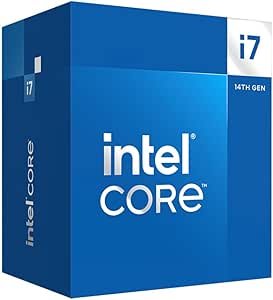
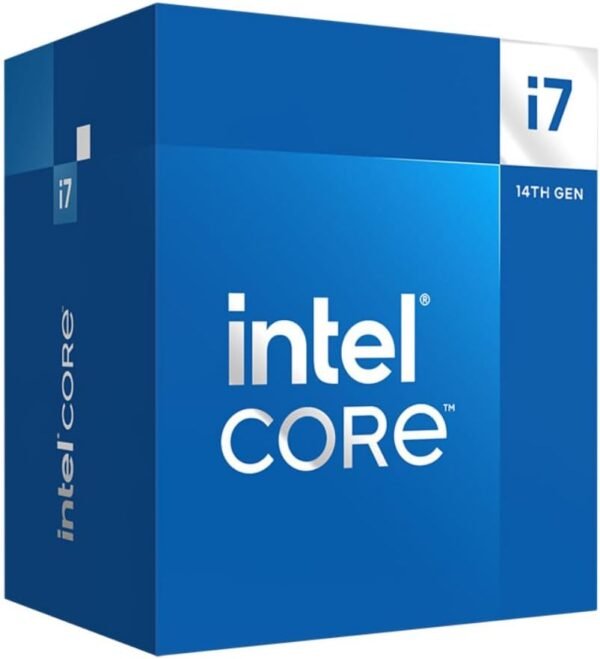
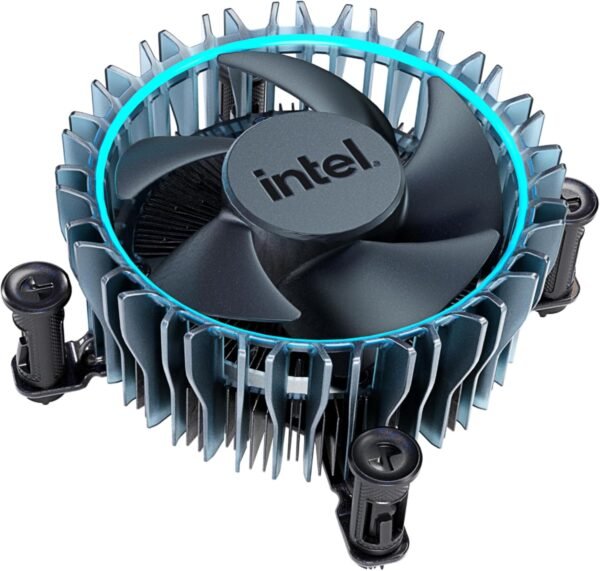
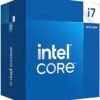
The Intel Core i7-14700 is a 14th generation desktop processor with 20 cores split across two types: 8 performance cores and 12 efficient cores. Intel quotes a peak of up to 5.4 GHz and a processor base power of 65 watts, and states that the chip supports both DDR5 and DDR4 memory and both PCIe 5.0 and PCIe 4.0. It ships with Intel’s Laminar RM1 cooler in the box. That combination points at one particular buyer: someone building or upgrading a mainstream desktop who wants heavy multithreaded capability without a high power budget or a separate cooler purchase.
What the i7-14700 Is
Intel’s hybrid architecture splits work across two core types. Performance cores handle latency sensitive threads, the ones where a game’s frame time or an application’s responsiveness depends on a single thread finishing quickly. Efficient cores handle parallel background work at lower power and in less die area, which is how a 65 watt base power part reaches a 20 core count at all. Intel describes a hardware scheduler that prioritizes workloads across the two types, and in practice the operating system scheduler does the assignment.
Note what the specification block does and does not say. Intel lists 8 performance cores and 12 efficient cores in the product title. The imported specification field labeled “Number of Processors” reads 8, which contradicts the 20 core figure in the title and appears to be a partial import of the performance core count. No thread count is given anywhere in the listing, and no all core boost frequency is stated, only the up to 5.4 GHz peak. This review does not fill those gaps with numbers the listing does not provide.
One more thing the listing does not say: it does not describe this processor as unlocked. Intel’s overclockable desktop parts carry a K in the model number, and this one does not. Anyone shopping specifically to overclock should confirm the multiplier behavior on Intel’s own specification page before buying, and should not treat the up to 5.4 GHz figure as an overclocking result. That number is what Turbo Boost Max Technology 3.0 targets on its own.
Platform Compatibility
Chipsets and boards
Intel states the processor is compatible with motherboards based on Intel 700 Series and Intel 600 Series chipsets. The listing does not print a socket designation, so if you are matching this against a board you already own, read the socket off your board’s own specification rather than inferring it from the processor model. The chipset generation is the compatibility line Intel draws here, and it is the one to check first.
There is a second check that the listing does not mention at all: firmware. Nothing in this product data addresses BIOS versions or updates. If you are pairing a 14th generation processor with a board from the earlier chipset generation, look up that specific board on the manufacturer’s CPU support list and confirm which BIOS revision is required before you buy either part. Board makers publish those lists by model. Current generation boards such as the MSI Z790 PROJECT ZERO are the straightforward pairing, while an older board such as the ASUS TUF Gaming Z690-Plus WiFi is exactly the case where the support list needs reading first.
Memory and PCIe
Intel lists support for both DDR5 and DDR4. That flexibility belongs to the processor’s memory controller, not to any individual board: a motherboard has slots for one memory type only, and choosing DDR4 or DDR5 is a board level decision made at purchase. The advantage of dual support is that it lets a builder reuse existing DDR4 on a DDR4 board, or step up to DDR5 on a DDR5 board, with the same processor.
PCIe 5.0 and PCIe 4.0 are both listed. PCIe 5.0 lanes matter most for the primary graphics slot and, on boards that route it that way, for a fast storage slot. As with memory, what is actually available depends on the board’s lane layout rather than on the processor alone.
Highlights
- 20 total cores: 8 performance cores and 12 efficient cores in Intel’s hybrid layout.
- Quoted peak frequency of up to 5.4 GHz through Intel Turbo Boost Max Technology 3.0.
- 65 watt processor base power, which is a modest figure for this core count.
- Support for both DDR5 and DDR4 memory, decided by the motherboard you pair it with.
- PCIe 5.0 and PCIe 4.0 support, subject to the board’s own lane allocation.
- Compatible with Intel 700 Series and Intel 600 Series chipset motherboards, per Intel.
- Intel Laminar RM1 cooler supplied in the box, so no separate cooler is strictly required.
Things To Consider
The 65 watt figure needs context, because it is the number most often misread on modern Intel processors. Processor base power describes sustained behavior at base frequency, not the power drawn while boosting. A 20 core chip reaching 5.4 GHz pulls substantially more than 65 watts during a boost window, and the listing does not state a maximum turbo power figure. For a build, that means two things: size the power supply with headroom rather than to the 65 watt number, and understand that the bundled cooler is specified against base power rather than against sustained all core load.
That bundled Laminar RM1 is a real inclusion and worth something, but it is a compact stock cooler. If your workload is long multithreaded runs such as video encoding or compilation, a larger air cooler or a liquid cooler will hold clocks higher for longer and run quieter doing it. Low profile options such as the Noctua NH-L9i exist for small cases, though buyers should check its stated socket support against their board, and a 360 mm unit such as the TRYX Panorama 360 sits at the other end of the range.
The imported specification block for this product contains several fields that cannot be right. Product dimensions are listed as 12.4 x 8.2 x 10.8 inches and item weight as 1 pound, which describe a shipping carton rather than a processor. Color is listed as Silver. None of these should influence a purchase, but they are a useful reminder that the specification table on this page is an automated import and the description text is the more reliable source.
Who Should Buy It, and Who Should Not
Buy the i7-14700 if you want a high core count for multithreaded work, you are building on a 700 Series board or have confirmed firmware support on a 600 Series board, and you would rather spend your budget on cores than on the highest single core frequency available. The included cooler and the modest base power make it a sensible choice for a compact or quiet build, and the DDR4 option gives upgraders a way to reuse memory.
Look elsewhere if you specifically want an overclockable part, if your workload is single threaded and would be better served by fewer, faster cores, or if you are on the AMD platform and would need a new board anyway. In that last case the AMD Ryzen 5 7600X is the comparison to run, and for a sense of how far this class of part has moved, the older AMD A10-6800K is instructive. Our CPU processors category lists the rest.