

Description
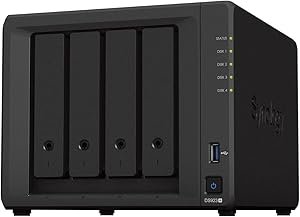
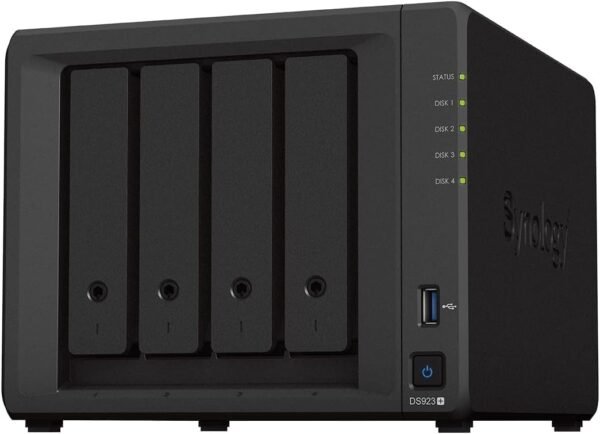
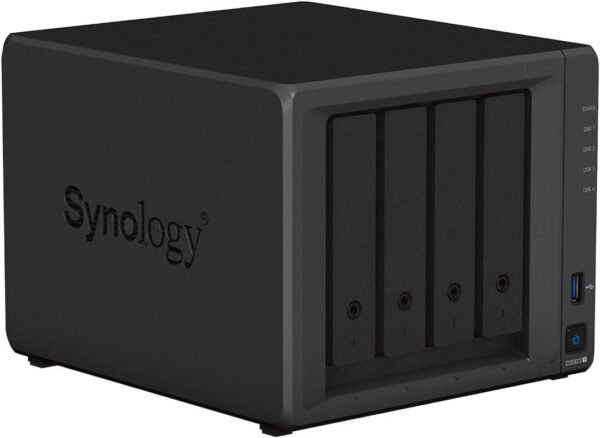
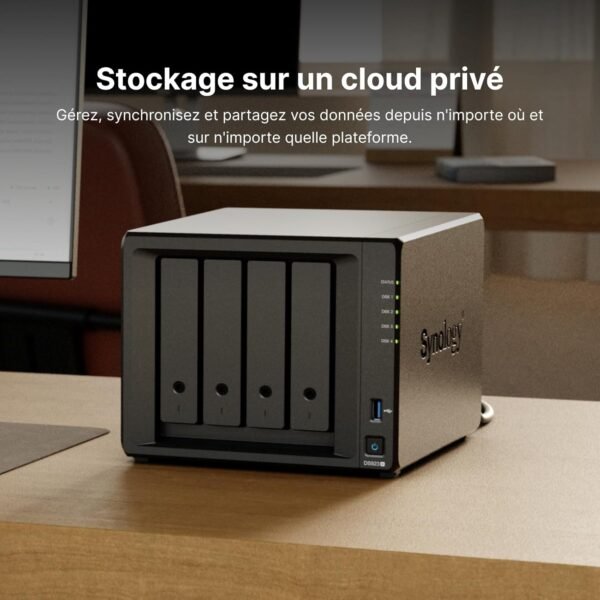
The Synology DS923+ is a four bay desktop network attached storage unit built around an AMD Ryzen R1600 dual core processor with four threads and 4GB of memory. It is one of Synology’s most widely deployed models in the small business and serious home user bracket, and the reason people buy Synology rather than assembling their own server is DiskStation Manager, the operating system that provides the backup, snapshot, sharing and surveillance tooling.
Buyers comparing storage should look at the rackmount Synology RackStation RS1221+ if a rack is available, or at the Asustor AS5402T and the UGREEN NASync DXP4800 Plus from other manufacturers.
Processor, Memory And Capacity
The AMD Ryzen R1600 is an embedded dual core processor with four threads, and Synology pairs it with 4GB of memory as standard. That is modest on paper and appropriate in practice: a NAS spends most of its life serving files, which is an input and output bound task rather than a compute bound one. Memory becomes the constraint when running containers, virtual machines or multiple Synology applications at once, and memory is normally the first upgrade owners make. The listing does not state the maximum supported memory, which is a notable omission.
Synology quotes 50 TB of capacity. With four bays that implies drives around 12 to 16 TB each, and Synology also sells expansion units that add further bays, so the figure should be read as the tested ceiling rather than a hard limit. The listing does not state supported RAID levels, which drive sizes are validated, or whether the unit ships with drives, and the specification fields on this point are contradictory: Hard Drive reads Mechanical Hard Disk while Hard Drive Rotational Speed reads 0.01 RPM, neither of which describes a NAS chassis. Synology sells the DS923+ as a diskless enclosure and buyers should confirm what is included before ordering.
Networking And The 10 Gigabit Question
The product title specifies two RJ-45 1 gigabit LAN ports. That is the standard networking on this unit, and it is the specification most likely to disappoint someone expecting more.
Two gigabit ports can be aggregated for roughly double the throughput to a switch that supports it, or used separately for redundancy, but a single client transferring a single large file is still capped at gigabit speed, which is roughly 110 megabytes per second in practice. For anyone editing video directly from the NAS or moving very large datasets, that ceiling is the bottleneck rather than the drives.
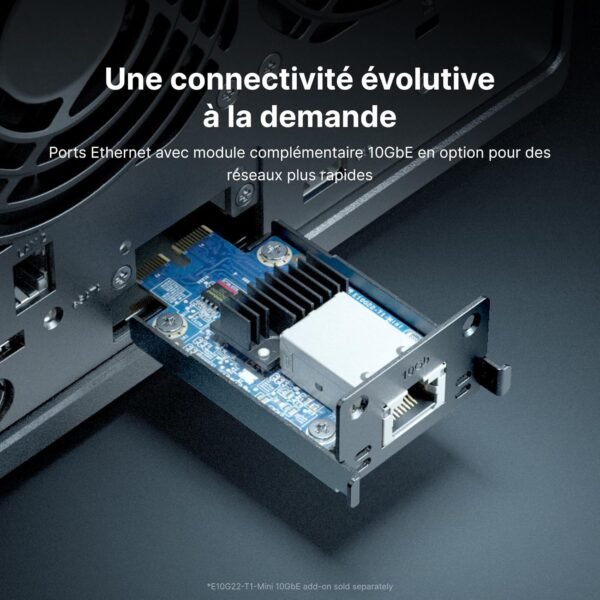
Synology addresses this by stating there is room for 10 gigabit networking, which means an add in network card is supported. That is a real capability and one of the genuine advantages of this model over cheaper units, but it is an additional purchase and it requires a 10 gigabit switch or a directly connected client with a matching card to be worth anything. A machine with a fast network interface, such as one fitted with a Mellanox ConnectX-4 Lx, would be the other end of that link.
NVMe Slots And What DSM Provides
Synology states there is room for dual NVMe drives alongside the four bays. On this platform NVMe slots are used primarily for read and write caching, which accelerates access to frequently used files without needing the whole array to be solid state. Whether they can be used as a general storage volume depends on the DiskStation Manager version and Synology’s own policy, which has changed over time, and this listing does not address it. Anyone buying specifically to create an all flash volume should confirm current support directly.
The software side is where the value concentrates. Synology lists document, photo and file management, application and device backup, and professional video surveillance among the capabilities. Surveillance in particular is a substantial application, turning the NAS into a network video recorder for security cameras, though Synology licenses cameras beyond the included allocation separately and the listing does not mention that.
Highlights
- Four drive bays in a compact desktop chassis.
- AMD Ryzen R1600 dual core processor with four threads.
- 4GB of memory as supplied.
- Two 1 gigabit RJ-45 Ethernet ports.
- Room for a 10 gigabit network card per Synology.
- Dual NVMe slots for caching or storage.
- 50 TB capacity figure quoted by Synology.
- Runs DiskStation Manager with backup, sharing and surveillance tools.
Things To Consider
The gigabit networking as standard is the honest limitation and it deserves emphasis, because the marketing copy talks about reducing transfer times and accelerating workloads while the ports shipped are ordinary gigabit. The performance ceiling for a single client is set by that port, not by the drives or the processor, unless the buyer adds a card and matching switching. Budget for that if speed is the reason for the purchase.
The listing also omits a great deal: the maximum memory, the supported RAID levels, the drive bay type and maximum drive capacity, the power consumption, the noise level, the number of USB ports, the warranty term and whether drives are included. Synology publishes all of this on its own site and buyers should work from there rather than from this page.
Synology has also maintained a compatibility list for drives on its plus series units, and that policy has been a source of friction for buyers using third party drives. The listing does not mention it at all, and it is worth checking the current position before buying drives.
Customer feedback is strong at 4.6 stars across 536 ratings, with a high placement in the NAS category, on a unit first available in November 2022. The chassis weighs 8.05 pounds empty and measures 8.78 by 7.83 by 6.54 inches, small enough for a shelf or a cupboard. Readers can compare other options in the devices category and the enclosures category.
Who It Suits
The DS923+ suits a household, a photographer, a small studio or a small business that wants four bays of protected shared storage with mature backup and snapshot tooling, and values Synology’s software over assembling a server. The option to add 10 gigabit networking and NVMe caching later means the unit can grow with a demanding workload rather than needing replacement.
It is the wrong purchase for anyone who needs multi gigabit speed out of the box without buying an add in card and a matching switch, for buyers who have not budgeted for four drives on top of the enclosure, and for those who need the RAID support, memory ceiling and drive compatibility confirmed before ordering.
