Description
What The Canon DR-G1100 Is
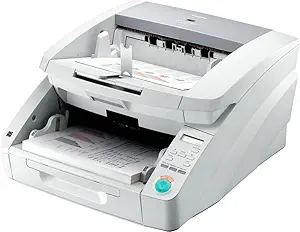
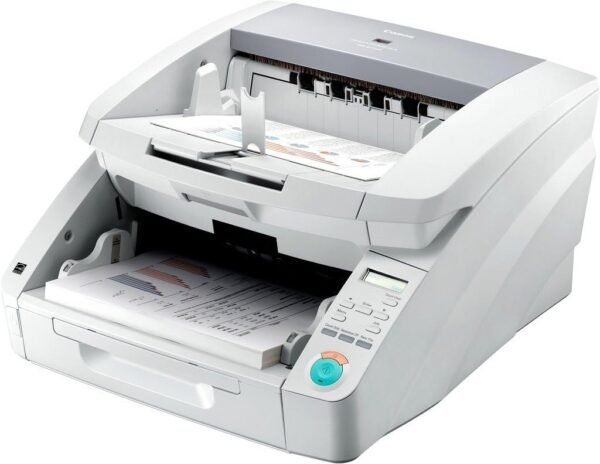
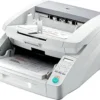
The Canon imageFORMULA DR-G1100 is a production document scanner, which is a different class of machine from the desktop scanners most offices buy. Canon rates it at up to 100 pages per minute with single pass duplex scanning, feeds it from a 500 sheet automatic document feeder, and describes it as built for mission critical and centralized production scanning where large volumes of paper are processed as a job rather than a task.
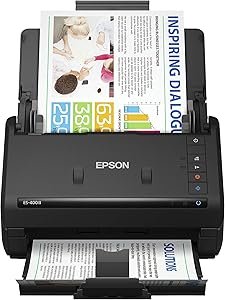
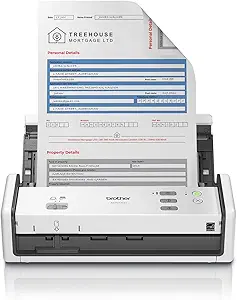
The scale shows in the physical specification: 50 pounds and 12.4 by 21.1 by 18.9 inches. This is a floor or dedicated table machine. Compared with a desktop unit such as the Epson ES-400 II or a compact model like the Brother ADS-1300, it belongs in a records department rather than on a desk.
Speed And Feeding
The 100 pages per minute figure and the single pass duplex design work together. Single pass duplex means both sides of a sheet are captured as it travels through the scanner once, rather than the page being fed twice or turned over. For double sided documents that halves the handling and roughly doubles the effective throughput compared with a single sided design.
The 500 sheet feeder is what makes those speeds usable. A 50 page feeder on a fast scanner simply means someone stands beside it reloading, and Canon addresses that with a motorized paper feed tray that adjusts to the height of the batch as it is consumed, plus flexible feed and output guides. The control panel carries user programmable job buttons, so a repeated task such as scan to a specific folder at a specific resolution becomes one button press rather than a menu sequence.
Paper Handling Reliability
On a machine feeding 500 sheets at 100 pages per minute, the interesting engineering is not the speed but what happens when something goes wrong. Canon lists several mechanisms. Double feed detection works two ways, by ultrasonic sensor detecting the thickness of overlapping sheets and by length detection noticing a page longer than expected. Staple detection catches documents that were not properly prepared, which is the most common cause of damage in production scanning. A rapid recovery system is named for resuming after a jam.
Media flexibility is broad: business card through ledger size, with support for long documents and for both thick and thin stock, and a scan size listed up to A3. That range matters in a records department where a single batch can contain receipts, contracts and drawings.
One more feature deserves attention because it is easy to overlook. Canon lists a dedicated onboard image processing chip, which means image correction, deskewing, blank page removal and similar work happen inside the scanner rather than on the host computer. On a machine feeding 100 pages per minute that is not a luxury, since a host computer doing the processing would become the limiting factor long before the feeder did. Canon also lists ENERGY STAR compliance and EU RoHS and WEEE compliance, along with participation in its own environmental program.
Highlights
- Rated up to 100 pages per minute.
- Single pass duplex scanning.
- 500 sheet automatic document feeder.
- Motorized feed tray that adjusts to batch height.
- Ultrasonic and length based double feed detection.
- Staple detection and a rapid recovery system.
- Business card to ledger size, plus long documents.
- Dedicated onboard image processing chip.
- User programmable job buttons.
- Solid body design with heavy duty feed and eject trays.
Things To Consider
Before the specific points, one general note: production scanners are normally specified with a service contract and a duty cycle in mind, and neither is covered on this page.
Two details on this listing deserve more attention than Canon gives them. The first is the connection: the feature bullets state USB 2.0. On a scanner rated at 100 pages per minute in duplex, a USB 2.0 interface is a genuine bottleneck, particularly at higher resolutions or in color, and it is unusual for a production machine of this class. Confirm the interface with Canon before assuming the rated speed is achievable at the settings you need.
The second is the warranty. Canon’s own text refers to eCarePAK service options that extend coverage beyond the initial 90 day warranty period. A 90 day warranty on a 50 pound production machine is short, and it means the service contract is effectively part of the purchase decision rather than an optional extra.
- The listing states a USB 2.0 connection, which limits throughput on a fast scanner.
- The initial warranty period is stated as 90 days.
- Optical resolution in dpi is not published anywhere on the listing.
- Color scanning speed is not stated separately from the 100 page per minute figure.
- Daily duty cycle in pages is not published, which matters for a production machine.
- Consumable rollers and pads wear out on high volume scanners and are not mentioned.
- At 50 pounds this needs a dedicated surface and two people to move.
- The model was first listed in 2013, so driver support on current systems should be verified.
Who Should Buy It And Who Should Not
The DR-G1100 is aimed at organizations digitizing paper in bulk: records departments, legal and medical offices, scanning bureaus and any business converting filing cabinets into searchable files. In that context the 500 sheet feeder, the double feed detection and the programmable job buttons are the features that determine how long the work takes, and they are far more valuable than raw scan speed alone. The box contents are practical too, including a USB cable, a power cable, a cleaning cloth, a setup DVD and a reference guide.
It is the wrong scanner for an office scanning a few documents a day, where a desktop unit costs a fraction as much and takes a fraction of the space. It is also the wrong choice for anyone who needs scanning as one function among several, where a multifunction printer such as the HP LaserJet Pro M477fnw or a copier like the RICOH IM C3500 covers printing and copying too. Photographic and film originals need a dedicated device such as the Plustek OpticFilm 8100, and the document scanners category covers desktop alternatives.