
Description
What The Pioneer BDR-XD08UMB-S Is
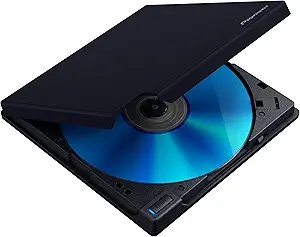
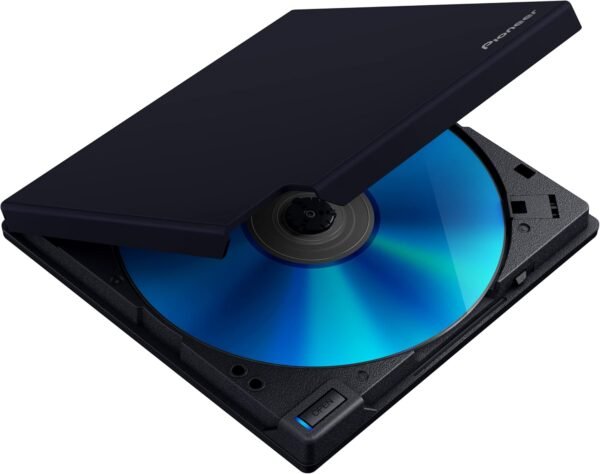
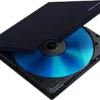
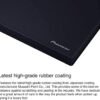
The Pioneer BDR-XD08UMB-S is a slim external optical drive that reads and writes Blu-ray discs, DVDs and CDs. Pioneer describes it as the top model in the XD08 series, distinguished by a matte black body with what the company calls a high grade rubber coating offering strong resistance against scratching and peeling.
The reason this category still exists is straightforward. Laptops stopped including optical drives years ago and most desktops followed, while discs did not disappear: archived data, software installers, music collections, film libraries and camera backups on disc all still exist. An external writer is how those are read and created now, and at 5.24 inches square and 0.58 inches thick this one is sized to travel with a laptop such as the HP 15 inch laptop or sit beside a compact desktop like the HP Elite Mini 800 G9.
Connection And Compatibility
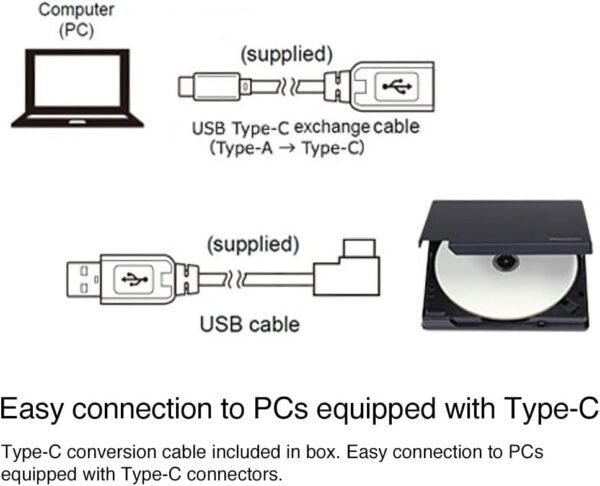
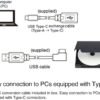
The connection is listed as USB 3.2 Gen1 with a USB Type-C connector, and USB 2.0 is also named. Optical drives are not bandwidth hungry devices, so USB 3.2 Gen1 is comfortably more than a Blu-ray writer needs, and the USB 2.0 compatibility means it will still work on an older machine.
Operating system support is unusually broad and unusually specific. Pioneer lists Windows 8.1, Windows 10 and Windows 11 on the PC side, and on the Apple side a long chain running from OS X El Capitan 10.11 through Sierra, High Sierra, Mojave, Catalina, Big Sur, Monterey, Ventura, Sonoma and Sequoia. That level of macOS support is worth noting because it is not universal in this category, and it is often the reason someone buys a Pioneer drive specifically.
The Bundled Software
CyberLink Media Suite is included, and here the listing gets tangled. Pioneer states that its products are compatible with Windows 11 and that the included CyberLink software can be updated to the Windows 11 2022 Update version, then instructs the buyer to check a CyberLink URL for instructions on how to update it. The URL printed in the listing is broken, appearing only as a fragment. The bundled version is named as CyberLink Media Suite 10.
The practical reading is that the software in the box may need updating before it works properly on a current Windows version, and that the buyer has to find the update themselves. Pioneer also states that updated 2023 firmware is included with the drive. Anyone who intends to use their own disc authoring or playback software rather than the bundle can ignore all of this, and playing commercial Blu-ray films on a PC generally requires licensed playback software regardless of the drive.
One practical note about disc formats. A Blu-ray writer reads and writes the older formats as well, so a single drive covers CD, DVD and Blu-ray media in both directions. What varies between models is the maximum disc capacity supported and whether specific archival formats are handled, and those are exactly the details this listing leaves out. For simply reading existing discs the distinction does not matter, and for writing archives it matters a great deal.
Placement is also worth thinking about. A slim external drive at 13.4 ounces is light enough to slide across a desk while a disc is spinning, and optical drives are sensitive to vibration and to being knocked mid write. Anyone writing discs regularly should give it a stable surface rather than balancing it on a laptop.
Highlights
- Reads and writes Blu-ray, DVD and CD media.
- USB Type-C connection at USB 3.2 Gen1.
- USB 2.0 compatibility for older machines.
- Slim at 0.58 inches thick and 13.4 ounces.
- Matte black rubber coated body.
- Windows 8.1, 10 and 11 support listed.
- Extensive macOS version support listed.
- CyberLink Media Suite software included.
- Pioneer states updated 2023 firmware.
Things To Consider
Before the specific gaps, note the general one: this page is written around the finish and the software bundle rather than around the drive mechanism, which is the opposite of what most buyers need.
For an optical drive, this listing leaves out the specifications that normally decide a purchase. There is no read or write speed for any disc type, no statement about BDXL support for higher capacity Blu-ray discs, no mention of M-DISC archival media support, and nothing about whether the drive is bus powered from a single USB port or needs additional power. The included accessories are not listed either, so whether a USB cable is supplied and which type it is cannot be determined from this page. The macOS list also contains a typo, spelling one entry maxOS.
- Read and write speeds are not published for any disc format.
- BDXL and M-DISC support are not stated.
- Whether the drive is bus powered or needs a second USB connection is not stated.
- Cable type and contents of the box are not listed.
- The CyberLink update URL in the listing is broken.
- Commercial Blu-ray film playback on a PC needs licensed software, which may not be covered by the bundle.
- Slim external drives are more sensitive to vibration and surface than a fixed internal drive.
Who Should Buy It And Who Should Not
This drive suits someone who needs occasional optical access on a modern machine that has none: reading an old archive, ripping a music collection, installing legacy software, or writing discs for someone who still uses them. The macOS support list is the strongest argument for this model over a generic drive, and the rubber coated finish suits something that will live in a bag rather than on a shelf.
It is the wrong purchase for anyone who needs documented write speeds or archival disc support before buying, since neither appears here. It is also the wrong solution for general backup or file transfer, where flash storage such as the SanDisk Ultra Dual Drive Luxe or a fast card like the SanDisk Extreme PRO is faster, cheaper per gigabyte and more durable. Anyone digitizing old media rather than reading discs should look instead at a film scanner such as the Plustek OpticFilm 8100, and the Blu-ray drives category covers other external options.