Description
What The Logitech C310 Is
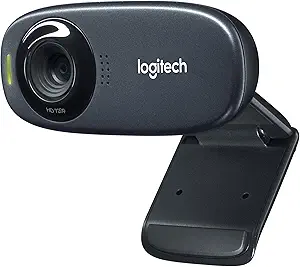
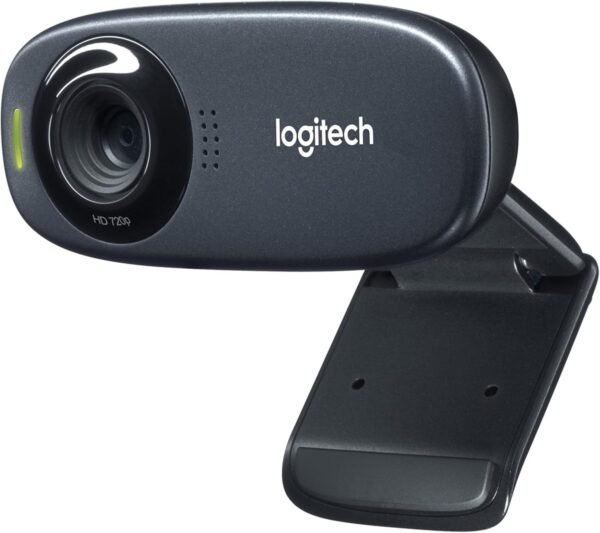
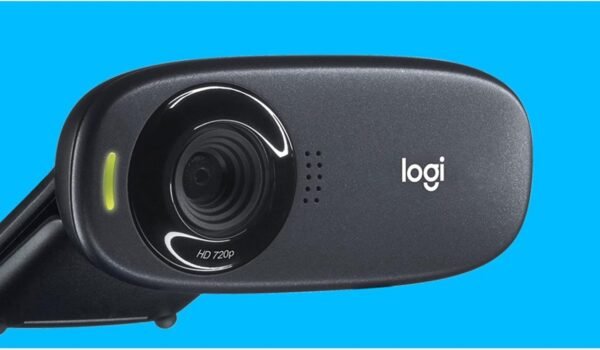
The Logitech C310 is an entry level HD webcam that has been on sale for well over a decade. The listing gives a video resolution of 1280 by 720 pixels, which is 720p, describes a 1 megapixel sensor, and quotes 5 megapixel still photos. It carries two Logitech technologies by name: RightLight 2 for handling poor backlighting and RightSound for reducing background noise.
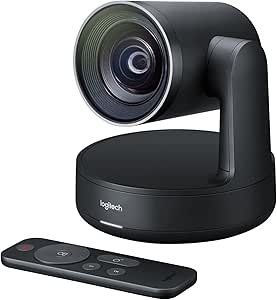
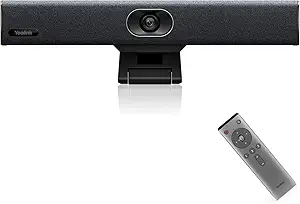
Its position in the market has always been the same: a straightforward camera that improves on a laptop’s built in webcam without any of the features that push a webcam into the professional bracket. It is a personal device, not a room device, which puts it at the opposite end of the range from the Logitech Rally Camera or an all in one video bar such as the Yealink UVC34.
Resolution, And Two Numbers That Disagree
The listing gives the video specification clearly enough: 1280 by 720 at HD, which was a meaningful step up from standard definition when this camera launched. The photo specification is where it gets muddled. The product title states 1 Mpixel, and 1280 by 720 works out to roughly 0.9 megapixels, so the sensor figure is consistent with the video resolution. The description then says the camera sends 5 MP photos.
A 1 megapixel sensor cannot capture 5 megapixels of real detail. Webcams of this era commonly produced higher megapixel stills by upscaling in software, which increases the pixel count without adding information. The listing does not say that, so the honest position is that the 5 MP figure describes the output file rather than the sensor, and the video resolution of 720p is the specification to judge the camera on.
RightLight And RightSound
RightLight 2 is Logitech’s automatic exposure adjustment, aimed at the situation where a window or a bright lamp sits behind the subject and the face goes dark. RightSound is Logitech’s audio processing, which implies a built in microphone, although the listing never states the microphone specification, the number of microphones or whether it is mono. Both are useful features at this level, and both are described by Logitech rather than measured here.
The Age Of This Product
The listing gives a date first available of August 2012, and the age shows in two places. The first is the resolution: 720p was competitive in 2012 and is now the baseline, with 1080p webcams widely available and increasingly standard even on budget laptops. The second is the software reference. The description mentions Logitech Vid HD downloadable software as a way to make video calls, a service that belongs to an earlier era of desktop calling and is not how anyone makes video calls today. Modern use means a browser or an application such as a meeting platform, and the camera works as a standard USB video device for that.
What the listing does not publish is also notable for a webcam: no field of view in degrees, no frame rate, no autofocus or fixed focus statement, no mounting description and no cable length. Field of view in particular decides how much of a room is visible and is a standard webcam specification.
One thing that has not aged is the interface. The camera presents itself to a computer as a standard USB video device, which is why a webcam designed in 2012 still works with meeting software written a decade later without any driver from the manufacturer. That is also why the age of the listing matters less than it might: the hardware limits are real, but the compatibility problem that usually retires old peripherals does not apply here.
Highlights
- 720p HD video at 1280 by 720.
- Works as a standard USB webcam with common messaging and meeting applications.
- RightLight 2 automatic exposure correction.
- RightSound audio noise reduction.
- Compact and light at a listed 8 ounces.
- Black finish that stays visually unobtrusive on a monitor.
- Long standing model with wide software familiarity.
- No software installation required for basic use.
Things To Consider
Before the specific errors, the general problem is that this page publishes almost no camera specification beyond resolution, which limits how far it can be assessed.
The two resolution figures described above are the main data problem on this page. Beyond that, the specification table gives product dimensions of 8.3 by 6 by 3 inches, which describes the retail packaging rather than a webcam that clips to a monitor, and a weight of 8 ounces that almost certainly includes the box. The listing does not name a mounting mechanism, does not state whether a tripod thread is present, and does not give a cable length.
- 720p is the baseline resolution now, and 1080p alternatives are common.
- The 5 MP still photo figure does not match a 1 megapixel sensor.
- Field of view, frame rate and focus type are not published.
- The microphone is implied by RightSound but never specified.
- No privacy shutter is described.
- The description references a video calling service from an earlier era.
- Dimensions and weight appear to describe the package rather than the camera.
Who Should Buy It And Who Should Not
The C310 still makes sense in a few specific situations: adding a camera to a desktop PC that has none, replacing a broken laptop webcam, setting up a second machine used occasionally for calls, or fitting out a shared computer where cost matters more than image quality. For a call where the point is being seen rather than looking polished, 720p with automatic exposure correction is adequate.
It is the wrong camera for streaming, for recording video content, or for anyone whose job involves being on camera all day, where a 1080p sensor and a documented field of view both matter. Meeting room buyers should be looking at a video bar such as the Yealink UVC34 video bar instead. Anyone whose main problem is being heard rather than seen would get more benefit from a headset like the Logitech H151 or a desk microphone such as the Blue Snowflake, and the rest of the webcams category covers both desk and room options.