

Description
What The Razer Barracuda X Is
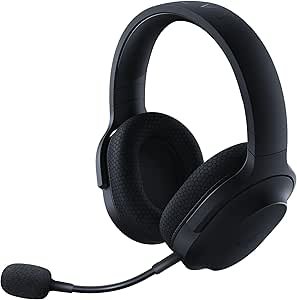
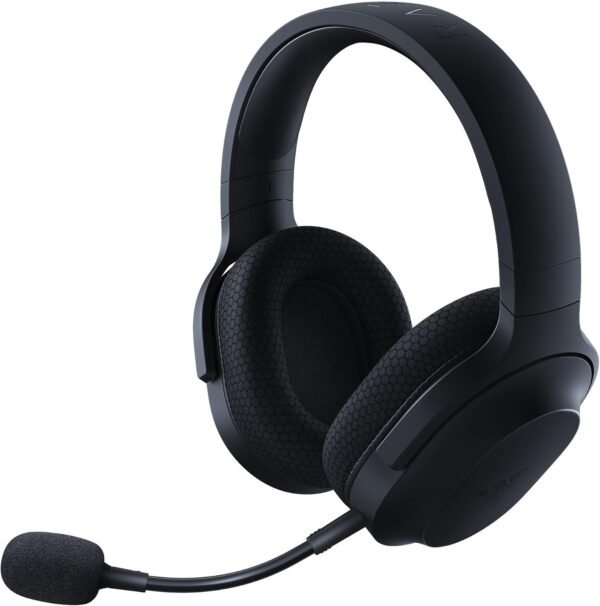
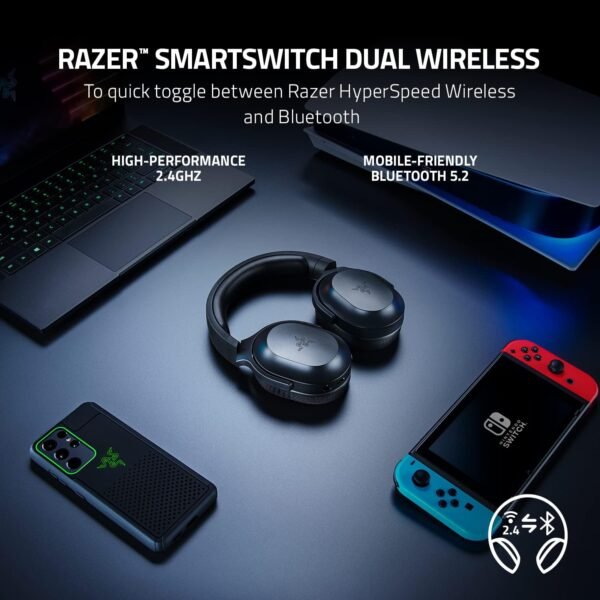
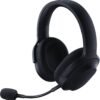
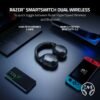
The Razer Barracuda X is a wireless gaming headset built around flexibility rather than around a single platform. Razer describes it as a four in one USB-C wireless headset, and the four connections are the point: a 2.4GHz wireless dongle with a USB-C plug, Bluetooth 5.2, a 3.5 mm analog jack, and the USB-C connection itself. SmartSwitch lets the wearer move between the 2.4GHz link and Bluetooth using a control on the headset, so a PC game and a phone call do not require re pairing.
That design targets someone who uses one headset across a desk, a console and a commute. It is a different proposition from a wired headset such as the Corsair HS35 v2, which plugs into everything but tethers the user, and from a wireless gaming headset like the Logitech G435, which takes a similar dual wireless approach.
Wireless, Battery And Platform Support
Razer quotes 50 hours of battery life, which is high for a gaming headset and is the specification most likely to sell it. A 2.4GHz dongle is used for low latency gaming audio, and Bluetooth 5.2 handles phones and tablets. The listing gives a Bluetooth range of 10.1 meters.
Platform compatibility is worth reading carefully because of what is missing. The listing names PC, PlayStation, Nintendo Switch, Android and iOS. Xbox is not named anywhere. Because the USB-C dongle is the route for 2.4GHz wireless, and Xbox consoles do not support standard USB wireless headset dongles, buyers on Xbox should treat that omission as deliberate rather than as an oversight. The 3.5 mm jack remains available for any device with a headset socket.
Drivers And Sound
Razer fits what it calls Triforce 40mm drivers, describing them as a patented three part driver design intended to separate highs, mids and lows for a more dynamic result. The specification sheet lists a sensitivity of 96 dB and a driver type of dynamic. Noise control is listed as sound isolation, which is the honest description: there is no active noise cancellation, and outside sound is reduced only by the ear cushions sitting against the head.
Microphone, Comfort And Build
The microphone is a detachable HyperClear cardioid unit. Cardioid means it picks up from the front and rejects sound from the sides and rear, which is the pattern that suits voice chat in a room with a mechanical keyboard or a fan. Detachable matters for the mobile half of the product: the boom comes off entirely, so the headset looks like ordinary headphones on a train.
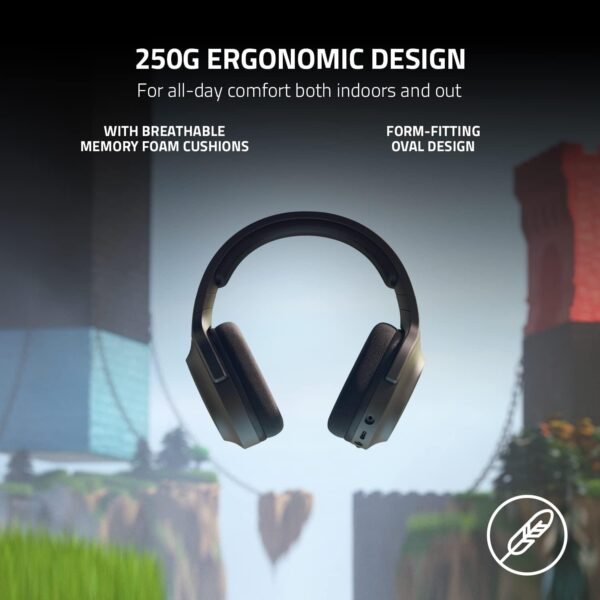
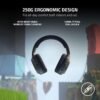
Razer lists a weight of 250 grams and describes breathable memory foam ear cushions with swiveling earcups. Swiveling cups let the headset lie flat around the neck, which is a small design decision that makes a big difference to how a headset travels. The material is listed as plastic, the finish is black, and the box includes the removable microphone, a Type-C charging cable and the Type-C wireless dongle.
Two practical points follow from the dual wireless design. First, the 2.4GHz dongle is the component that makes low latency gaming audio possible, and it is small and easy to lose, so its replaceability is worth checking. Second, switching to Bluetooth trades latency for range and convenience, which is fine for music and calls but noticeable in fast games. Understanding which mode is active is part of living with a dual wireless headset, and the on headset switch is what makes that manageable.
The listing does not state a charging port type beyond supplying a Type-C cable, does not give a quick charge figure, and does not describe any companion software for equalizer settings. Razer generally offers a configuration application for its headsets, but because this page does not name one, buyers should not assume software features such as custom equalizer profiles are available on every platform.
Highlights
- 2.4GHz wireless with a USB-C dongle.
- Bluetooth 5.2 with on headset switching.
- 3.5 mm analog connection as a wired fallback.
- Triforce 40mm drivers.
- Detachable cardioid boom microphone.
- 50 hours of battery life quoted by Razer.
- Listed at 250 grams.
- Memory foam cushions and swiveling earcups.
- Compatibility listed for PC, PlayStation, Switch, Android and iOS.
Things To Consider
Before the specific problems, one general note: this listing publishes no impedance figure, no frequency response range and no wireless latency figure, all of which are standard on competing gaming headset pages. That limits how far the audio side can be assessed from the page alone.
The specification table repeats a familiar error: charging time is listed as 50 hours, exactly the same figure as the battery life, which is clearly a copied field rather than a real charging duration. The listed item weight of 9.6 ounces works out to roughly 272 grams, which does not match the 250 gram figure Razer states in its own feature text. Frequency response is given as 20 KHz with no range attached, and the control method is listed as Touch on a headset that uses physical controls.
- Xbox is not listed as a supported platform.
- No active noise cancellation. Isolation is passive.
- Charging time is not reliably stated anywhere on the listing.
- Weight is given as both 250 grams and 9.6 ounces, which disagree.
- The 2.4GHz dongle uses USB-C, so a USB-A computer needs an adapter.
- Losing the dongle removes the low latency wireless mode entirely.
- Plastic construction keeps weight down but is less durable than metal reinforced designs.
Who Should Buy It And Who Should Not
The Barracuda X suits someone who wants one headset for a PC or PlayStation at home and a phone everywhere else. The detachable microphone, the swiveling cups and the long battery life make it genuinely portable rather than nominally portable, and dual wireless removes the usual pairing friction. It sits in the same competitive bracket as the Razer Kraken TE and the ROCCAT Syn Pro Air, both of which trade portability for other strengths.
It is the wrong headset for Xbox players, given the compatibility list, and the wrong headset for anyone who wants active noise cancellation on a commute. Audio focused buyers who care more about sound than about wireless convenience should compare wired options such as the Alienware AW520H and browse the wider headsets category before committing.