

Description
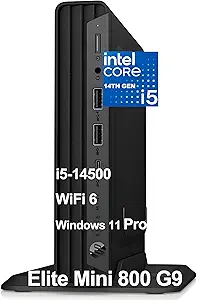
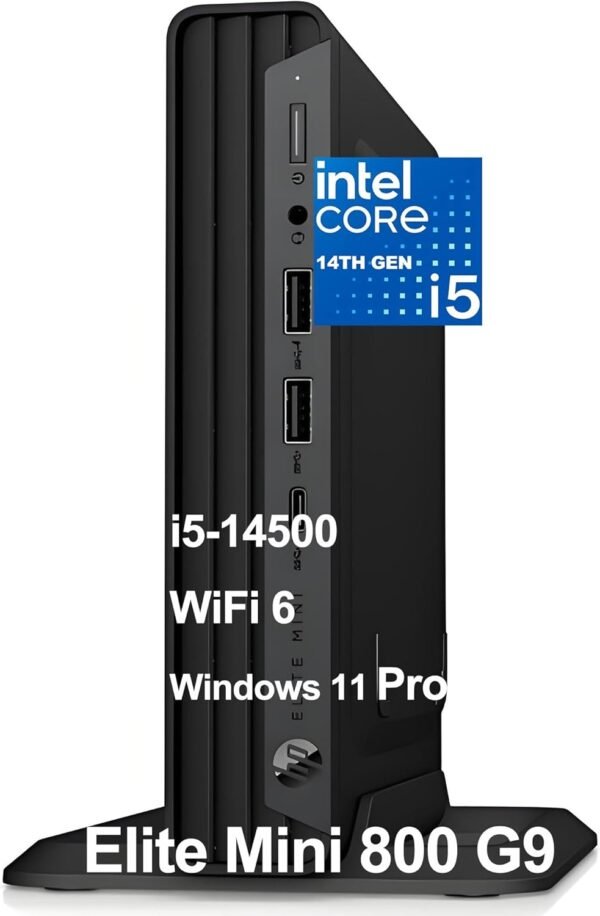
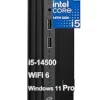
The HP Elite Mini 800 G9 is a business desktop in a mini form factor chassis, roughly seven inches square and under an inch and a half tall. This configuration pairs a 14th generation Intel Core i5-14500 with 32GB of DDR5 memory and a 1TB PCIe NVMe TLC solid state drive, running Windows 11 Pro. HP includes a wired keyboard and mouse in the box, and lists Wi-Fi 6 with Bluetooth 5.2.
The Processor and What It Means Here
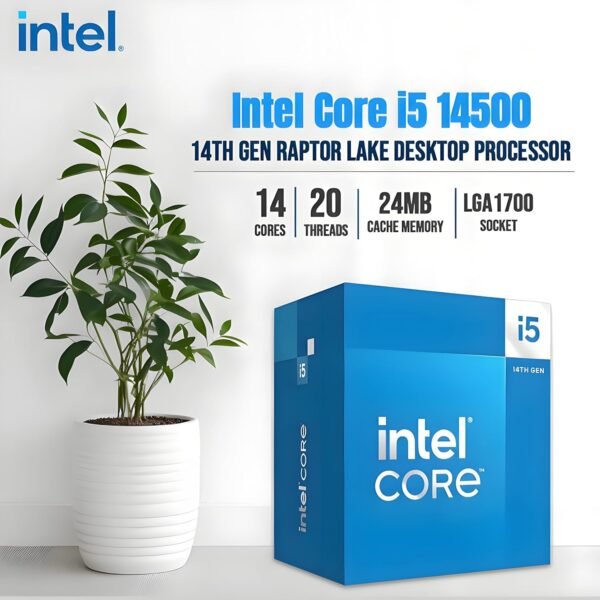
HP specifies the i5-14500 as 14 cores in a 6 performance plus 8 efficient arrangement, with 20 threads, performance cores running from 2.6 GHz to 5.0 GHz, efficient cores from 1.9 GHz to 3.7 GHz, and 24MB of cache. That is a full desktop processor rather than a mobile part, which is the distinction that separates a business mini form factor machine from the mobile chip mini PCs that occupy a similar footprint.
The practical consequence is sustained performance. A desktop processor in a small chassis is limited by cooling, but it has a higher ceiling and a different power budget than a laptop chip in the same space. Graphics are Intel UHD Graphics 770, integrated and adequate for office work and multiple displays, and not intended for games or 3D work. A mini PC built around a mobile processor with stronger integrated graphics, such as the ACEMAGIC AM08Pro, makes the opposite trade.
Thirty two gigabytes of DDR5 and a 1TB NVMe TLC drive are generous. The TLC designation is worth noting: it describes the flash type, and TLC generally offers better endurance and sustained write performance than the cheaper QLC used in some budget drives. HP stating it is a small sign of a business specification rather than a consumer one.
Displays and Ports
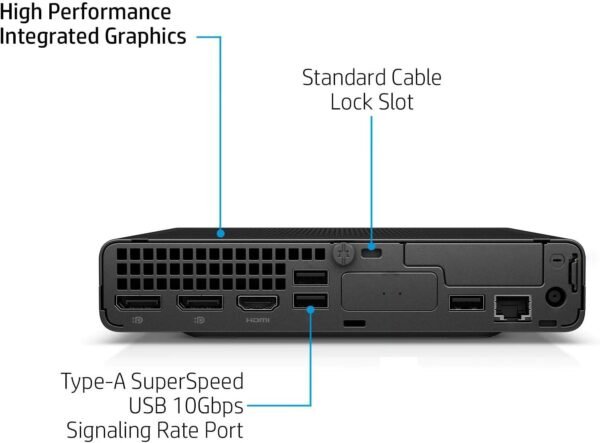
This is the strongest part of the specification and the reason a machine like this ends up on an office desk. HP lists two DisplayPort 1.4 outputs and one HDMI 2.1 on the rear, which supports a three display setup without adapters or a dock. For anyone working across documents, communication and a browser at once, three screens on a machine this size is a genuinely useful arrangement, and a straightforward panel such as the Dell E2423H is the kind of display it is designed to drive.
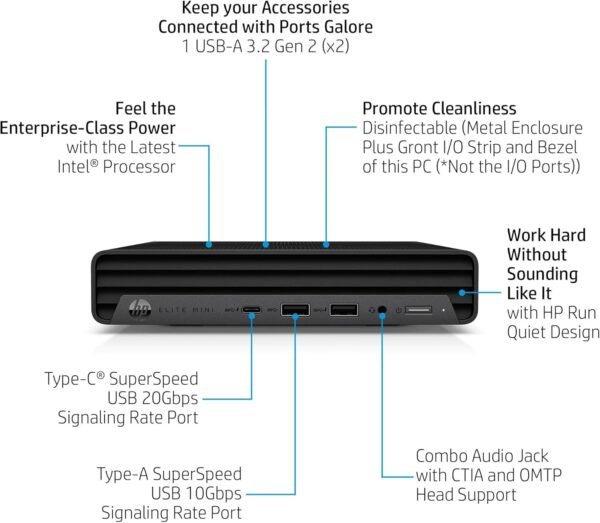
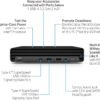
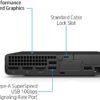
The full port list: on the front, one headset connector, two SuperSpeed USB Type-A ports at 10 Gbps with one supporting charging, and one SuperSpeed USB Type-C at 20 Gbps. On the rear, an external antenna connector, the power connector, an RJ-45 Ethernet port, three more USB Type-A ports at 10 Gbps, the two DisplayPorts and the HDMI output.
Two details stand out. Every USB-A port runs at 10 Gbps rather than the 5 Gbps still common on business desktops, and the front USB-C at 20 Gbps is fast enough for external NVMe storage. The external antenna connector on the rear is a business feature: it allows a proper antenna to be positioned away from a machine that may be mounted behind a monitor or inside a cabinet, where internal antennas perform poorly.
Audio is a Realtek ALC3252 codec with a universal audio jack supporting both CTIA and OMTP headset wiring standards, which means headsets from different regions work without an adapter.
Power and Physical Design
Power comes from a 120W external adapter with up to 89 percent efficiency and active power factor correction. An external adapter is the standard arrangement for this class and it has two consequences: the chassis stays small, and there is a power brick on the floor or the desk that takes up its own space.
HP gives dimensions of 6.97 by 6.89 by 1.35 inches and a weight of 3.13 pounds. That is small enough to sit under a monitor stand, behind a display on a VESA mount, or in a drawer. The included HP 125 wired mouse and HP Wired Desktop 320K keyboard are basic peripherals, but their inclusion means the machine works out of the box without a separate order.
Highlights
- 14th generation Intel Core i5-14500 with 14 cores, 20 threads and 24MB of cache.
- 32GB of DDR5 memory and a 1TB PCIe NVMe TLC solid state drive.
- Intel UHD Graphics 770 integrated graphics.
- Two DisplayPort 1.4 outputs and one HDMI 2.1 for a three display setup.
- Five USB Type-A ports at 10 Gbps and one USB Type-C at 20 Gbps.
- RJ-45 Ethernet, Wi-Fi 6 2×2 and Bluetooth 5.2, with an external antenna connector.
- Windows 11 Pro, with an HP wired keyboard and mouse included.
- 120W external power adapter, 89 percent efficient with active PFC.
- 3.13 pounds in a 6.97 x 6.89 x 1.35 inch chassis.
Things To Consider
The specification block on this listing is corrupted in several places and should be read only alongside HP’s own description:
- The processor field reads “2.6 GHz apple_ci5”. This is an Intel processor, not an Apple one.
- Item weight is listed as 7 pounds while HP’s description says 3.13 pounds. The higher figure presumably includes the adapter, peripherals and packaging.
- A hard drive rotational speed of 7000 is listed for an NVMe solid state drive.
- Screen resolution fields read 4096 x 2160 on a machine with no screen; that describes maximum video output.
- A “number of processors” field reads 14, which is the core count.
Two things in the product title itself deserve scrutiny. The phrase “Beat i7-14700T” is a seller’s comparative marketing claim with no benchmark or source cited, and this review does not repeat it as fact. The word “Tichang” appended to the title appears to be a seller identifier rather than part of the product name, which together suggest this is a reseller listing rather than a plain HP retail box. Confirm warranty handling and the exact configuration with the seller before ordering, particularly whether the 32GB of memory and the 1TB drive are HP factory parts.
Three specifications are not stated and are worth asking about: whether the memory is in one module or two, since single channel memory reduces integrated graphics performance; whether there is a second M.2 slot for storage expansion; and the machine’s warranty term and type.
Finally, be realistic about thermals. A 14 core desktop processor in a 1.35 inch chassis will reach its cooling limit under sustained all core load and the fan will be audible when it does. For office work that will rarely happen; for continuous heavy computation, a tower is the correct machine.
Who Should Buy It, and Who Should Not
Buy the Elite Mini 800 G9 if you want a business desktop that takes almost no space, drives three displays without a dock, and has enough processor and memory to stay comfortable for years. The port speeds, the external antenna connector and Windows 11 Pro all point at a machine designed for managed office deployment rather than a consumer mini PC, and the included keyboard and mouse make it usable immediately.
Do not buy it for gaming or 3D work, where integrated graphics are the limit, and do not buy it if you need internal expansion, since a mini form factor chassis has none. Comparable options include the Beelink SER5 and the GMKtec EVO-X1 among consumer mini PCs, while the slightly larger Dell OptiPlex 5070 small form factor offers more internal room. Our minis category covers the small desktop field.