
Description
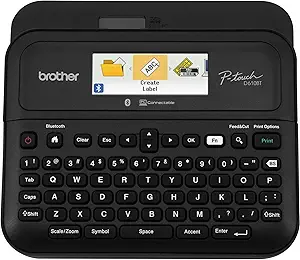
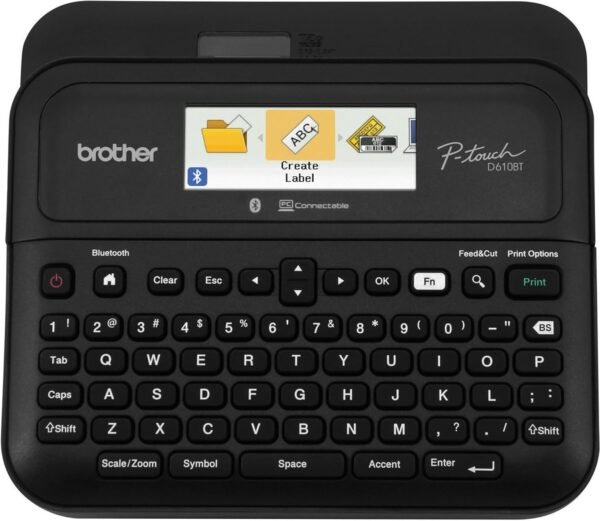
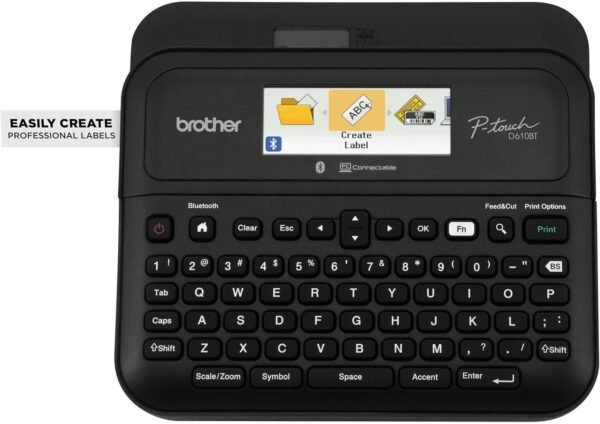
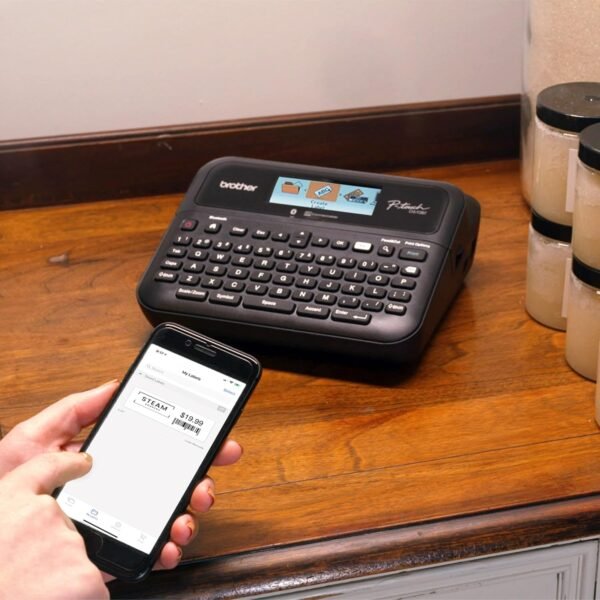
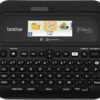
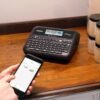
The Brother P-touch PT-D610BT is a business oriented label maker with Bluetooth. It prints Brother TZe laminated tape up to roughly one inch, which is 24 mm, at a listed resolution of 180 x 360 dpi, and it can be driven three ways: from its own QWERTY keyboard, from a computer over USB using Brother’s P-touch Editor software, or from an Android or iOS device over Bluetooth using the Brother iPrint&Label app. Brother positions it for retail, warehousing, asset tracking and inventory work, and the feature list matches that.
What Makes This a Business Machine
Three things separate the PT-D610BT from a household label maker. The first is the connectivity, and specifically that multiple people can use it from their own devices without taking turns at the keypad. Brother makes this explicit: advanced connectivity allows several users to work with the same label maker from their own computer or smart device. In a stockroom or a service counter, that is the difference between a shared tool and a bottleneck.
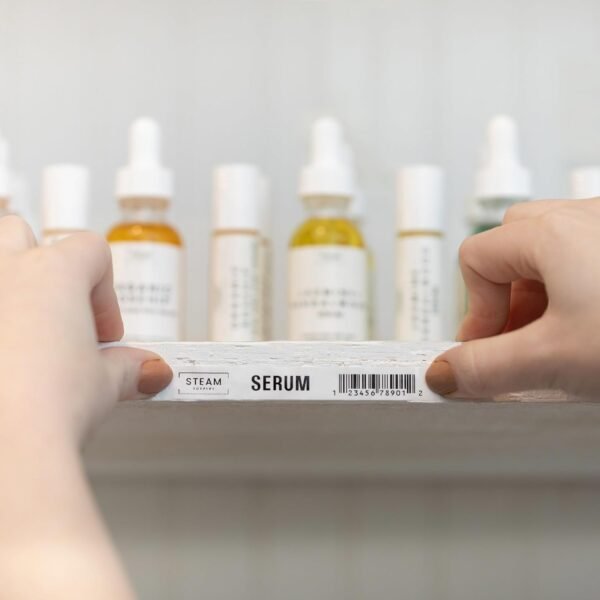
The second is barcode capability. Brother describes crisp barcode output and calls out labeling SKUs, wires, cables and price tags. The P-touch Editor software supports creating barcodes and QR codes, which is the feature that makes asset tagging practical rather than manual.
The third is durability of the output. Brother TZe tape is laminated, with the printed layer sealed between films, and Brother specifically names outdoor items such as dumpsters, recycling bins, patio furniture and landscaping equipment as places the labels are expected to stay attached. That is a claim about the tape rather than the printer, but the two are bought together.
Design, Display and Templates
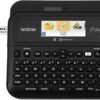
The display is a 20 character, two line full color LCD, and Brother’s argument for it is error prevention: you preview the label before printing rather than discovering the mistake on the tape. On a machine feeding laminated tape, a wasted label is a real cost, and preview is worth more here than on a paper printer.
Input is a QWERTY keyboard with one-touch formatting keys. The listed design library covers 17 fonts, 17 font styles, 160 frames and 900 symbols, plus 175 preset label templates for asset management and date and time tracking. Up to seven lines of text can be printed on a single label, and up to 90 frequently used labels can be stored in the machine for reprinting. An automatic cutter handles separation, which matters once you are producing labels in batches.
The alternative workflow, designing on a computer, is where the software earns its place. P-touch Editor supports drawing tools, image import, barcodes and QR codes, and on screen preview. For repeat runs, a saved template is faster and more consistent than retyping. The older Brother PT-D600 offers the computer connection without the Bluetooth side, which is the main functional difference between the two.
Tape, Power and What Is In the Box
Read this section carefully, because it is where label maker purchases go wrong. The listing’s included components field names only the PTD610BT label maker itself. The description adds that an AC adapter and a USB cable are included. No tape cassette is listed as included in the standard configuration. Brother notes separately that an optional VP model includes a carry case and a 4 meter black on clear sample tape at roughly half an inch, which is 12 mm.
In other words, unless you buy the VP bundle, budget for tape as a separate purchase and order it at the same time as the machine. TZe cassettes come in a range of widths up to the 24 mm maximum this printer supports, in several colors and materials, and the width you need should be decided before you order. Tape, not the machine, is where the ongoing cost sits.
Power comes from the included AC adapter. The listing does not state a battery option or a battery specification for this model, so treat it as a mains powered desktop unit unless Brother’s documentation says otherwise.
Highlights
- Prints Brother TZe laminated tape up to 24 mm wide at a listed 180 x 360 dpi.
- Bluetooth plus USB connectivity, with the Brother iPrint&Label app for Android and iOS.
- P-touch Editor software for computer based design, barcodes and QR codes.
- 20 character, two line full color LCD with label preview before printing.
- QWERTY keyboard with one-touch formatting keys and an automatic cutter.
- 17 fonts, 17 font styles, 160 frames, 900 symbols and 175 preset templates.
- Prints up to seven lines per label and stores up to 90 labels for reprinting.
- AC adapter and USB cable included; an optional VP bundle adds a carry case and a 12 mm sample tape.
Things To Consider
The imported specification block for this product is populated with fields designed for office paper printers and is close to useless. It lists a maximum input sheet capacity of 1, an output sheet capacity of 1, one paper tray, simplex duplexing and a copy speed expressed as “2E+1 ppm”. A tape based label maker has no sheets, no trays and no copy function. It also lists a memory storage capacity of 1 GB, which does not reconcile with Brother’s own figure of 90 stored labels, and product dimensions of 10.2 x 4.8 x 12.6 inches that describe packaging. The controller type field reads “iOS” alone, when the description names both Android and iOS.
There is also a resolution contradiction inside the specification block itself: one field reads 180 dpi and another reads 180 x 360 dpi. The two figure version is the fuller statement, describing different resolutions along each axis, which is normal for thermal transfer label printing.
Beyond the data, three real points. First, Bluetooth pairing on shared office equipment needs a plan. If several devices connect to one machine, decide who manages pairing before the machine is in daily use. Second, the app and software are the reason to buy this over a keyboard only unit, so check current app availability and operating system support for your devices before committing. Third, this is a label maker, not a shipping label printer: it prints on continuous tape, not on die cut address labels. For shipping and address work, a dedicated machine such as the Brother QL-820NWB is the right category.
One categorization note, flagged rather than changed: this product is filed on this site under other office equipment rather than under label makers, which is where a buyer would expect to find it.
Who Should Buy It, and Who Should Not
Buy the PT-D610BT if you label as part of running a business, several people need to send labels to one machine, and barcodes or asset tags are part of the job. The combination of Bluetooth, computer software and a full color preview screen covers the workflows a stockroom or retail counter actually uses, and the 24 mm tape width handles shelf and equipment labels that narrower machines cannot.
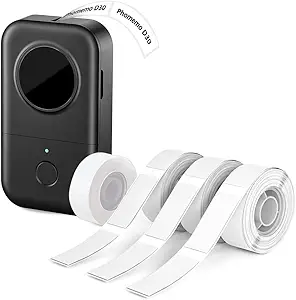
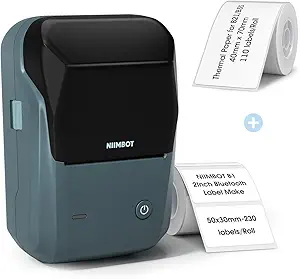
Do not buy it for occasional home labeling, where a simpler and cheaper handheld unit such as the NIIMBOT B1 or the pocket sized Phomemo D30 does the job. Do not buy it expecting tape in the box unless you are ordering the VP bundle. Our label makers category covers the handheld and desktop range, and the label printers category covers the higher volume machines.