Description
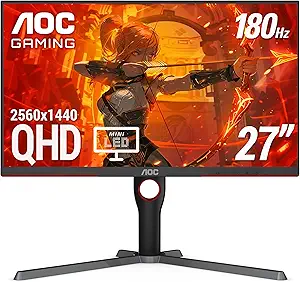
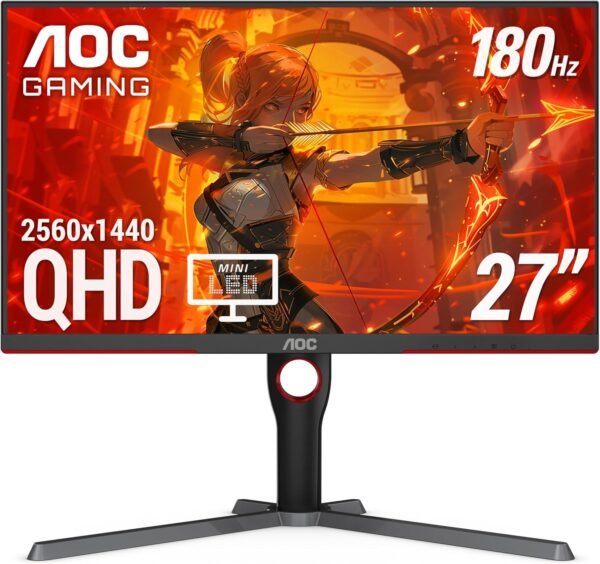
The AOC Q27G3XMN is a 27 inch gaming monitor at 2560 by 1440, and the specification that sets it apart is the backlight. Instead of a conventional edge lit or direct lit LED array, AOC fits a Mini LED backlight with 336 individually controlled local dimming zones and certifies the result to VESA DisplayHDR 1000. That combination is uncommon at this size and it is the main reason to consider this monitor over a conventional QHD panel.
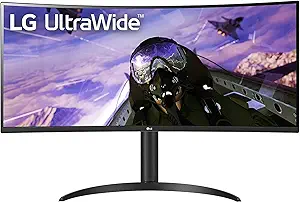
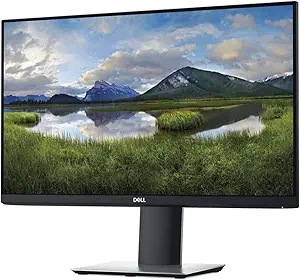
Buyers comparing gaming displays should also look at the office focused options in the monitors category, such as the Dell P2219H, or at an ultrawide alternative in the LG 34WP65C-B.
Panel Type, Backlight And HDR
The panel is VA, which AOC states directly. VA panels sit between IPS and TN: deeper native contrast than IPS, better viewing angles than TN, and typically slower pixel transitions than either in the darkest tones. AOC quotes 178 by 178 degree viewing angles, which is the standard wide angle figure.
The Mini LED backlight is where the value sits. 336 dimming zones let the backlight dim in dark regions of the image while staying bright in others, which produces deeper blacks and brighter highlights than a single backlight can. VESA DisplayHDR 1000 is a meaningful certification because it sets minimum peak brightness, contrast and color requirements that a manufacturer cannot self declare. It is genuine HDR capability rather than a monitor that merely accepts an HDR signal.
Color coverage is quoted at up to 134 percent sRGB and 96 percent DCI-P3 area coverage, on a three sided frameless design. Note that both figures are given as area coverage, which is a more generous measurement than the percentage of a gamut actually contained within the panel’s range, so those numbers should be read as good rather than as definitive.
Refresh Rate, Response Time And What The Ports Allow
AOC quotes 180 Hz and 1 ms grey to grey. The important qualifier is in AOC’s own bullet: the 180 Hz figure is overclocked and delivered via DisplayPort 1.4. That means the monitor’s native rate is lower and the 180 Hz mode is enabled in the monitor menu, and it is only available over DisplayPort. Anyone connecting over HDMI will not reach 180 Hz.
The port selection is minimal and buyers should plan around it. There is exactly one HDMI 2.0 input and one DisplayPort 1.4 input. Two inputs total. That is enough for one PC and one console, and not enough for a PC, a console and a laptop without a switch. There is no USB-C input, no USB hub and no speakers mentioned anywhere in the listing.
For console players AOC states up to 120 Hz frame rate with the caveat that exact performance depends on the console. HDMI 2.0 is the limiting factor there rather than the panel, and AOC is being appropriately careful with the wording rather than promising a rate it cannot guarantee. Adaptive-Sync is supported, which matches the variable refresh rate output of both current consoles and most graphics cards.
Stand, Mounting And Physical Design
The included stand adjusts for pivot, swivel and tilt. Pivot means the panel rotates to portrait orientation, which is genuinely useful for reading long documents or code. The listing does not mention height adjustment, which is the fourth adjustment most people want and its absence from the list is notable.
The monitor is VESA compatible so it can be moved onto an arm or a wall mount, though the listing does not state the VESA hole pattern. Weight is 20.6 pounds and the listed dimensions of 10.19 by 23.82 by 20.94 inches include the stand. AOC also states a three year zero bright dot warranty, which is a specific and valuable commitment: it means a single stuck bright pixel is grounds for replacement, where many manufacturers require several before honoring a claim.
Highlights
- 27 inch VA panel at 2560 by 1440 with 178 by 178 degree viewing angles.
- Mini LED backlight with 336 local dimming zones.
- VESA DisplayHDR 1000 certified.
- 180 Hz overclocked refresh over DisplayPort 1.4, 1 ms grey to grey.
- Up to 134 percent sRGB and 96 percent DCI-P3 area coverage.
- Adaptive-Sync with stated console support up to 120 Hz.
- Pivot, swivel and tilt stand, VESA mount compatible.
- Three year zero bright dot warranty.
Things To Consider
Two inputs is the practical limitation most likely to be felt. A gaming monitor at this level often serves a PC and one or two consoles, and one HDMI port forces a choice or a switch box. The absence of USB-C also rules out single cable laptop connection.
The HDR capability comes with a caveat that applies to all Mini LED displays. With 336 zones across a 27 inch panel, each zone covers a substantial area, so a small bright object on a dark background can produce a visible halo. That is inherent to zone dimming rather than a fault of this monitor, and 336 zones is a good count for the size, but buyers expecting per pixel control should understand the difference from an OLED panel.
The overclocked 180 Hz figure is worth restating too. Overclocked refresh rates are validated by the manufacturer but they are not the panel’s native specification, and some units tolerate the mode better than others. AOC does not publish the native rate on this listing.
Customer feedback is good and well sampled at 4.4 stars across 1,402 ratings, on a monitor first available in June 2023. The manufacturer field reads TPV Technology, which is the parent company that owns the AOC brand, so that is accurate rather than an error. Readers building a gaming system around this display can look at graphics options such as the MSI RTX 4070 Super and peripherals in the gaming keyboards category.
Who It Suits
The Q27G3XMN suits a PC gamer who wants genuine HDR performance at QHD resolution without paying OLED prices, plays single player and visually rich games where local dimming pays off, and connects over DisplayPort to reach the full refresh rate. The pivot stand and the zero bright dot warranty are useful additions for anyone who also works at the desk.
It is the wrong monitor for a multi device desk that needs three or more inputs, for anyone who needs USB-C connectivity or a USB hub, for buyers who require height adjustment, and for competitive players who would prefer a higher native refresh rate over image quality features.