Description
What The HP LaserJet Pro M426fdw Is
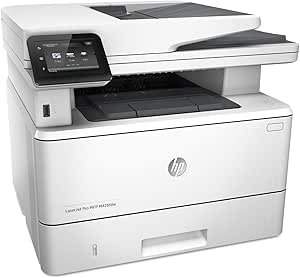
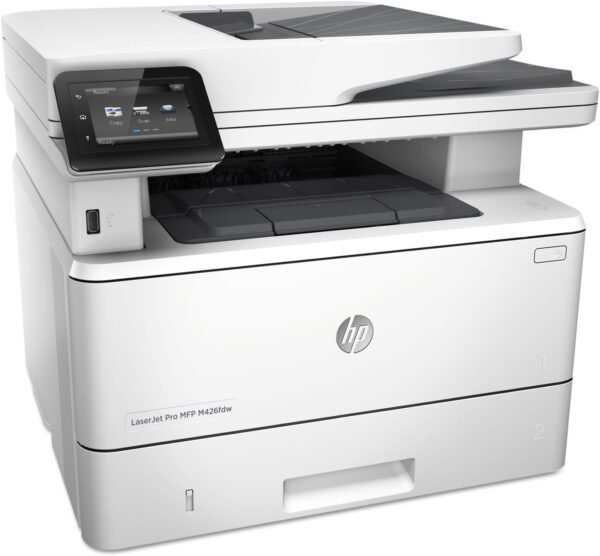
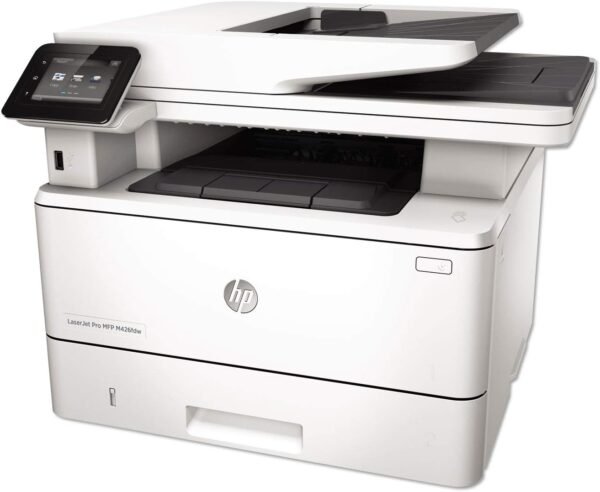
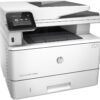
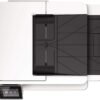
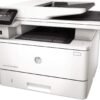
The HP LaserJet Pro M426fdw is a monochrome laser multifunction printer built for a small office or a busy workgroup. The four letters at the end of the model name describe what it does: it prints, it copies, it scans on a flatbed, it faxes, it duplexes automatically and it has wireless networking. HP summarizes the product as fast print, scan, copy and fax performance with comprehensive security built in, and the listing frames security and toner economics as the two selling points rather than raw speed alone.
This is black and white output only. Anyone who needs color has to look at a different machine, such as the HP LaserJet Pro M477fnw or the Brother MFC-L8900CDW. Within monochrome, the M426fdw sits above entry level machines like the Brother MFC-L2700DW on paper handling and input capacity.
Speed, Paper Handling And The Control Panel
HP rates the print engine at up to 40 pages per minute, with a first page out time of 5.4 seconds. Those are manufacturer figures under manufacturer conditions, and real throughput on mixed documents will be lower, but 40 ppm places this firmly in the workgroup class rather than the personal printer class.
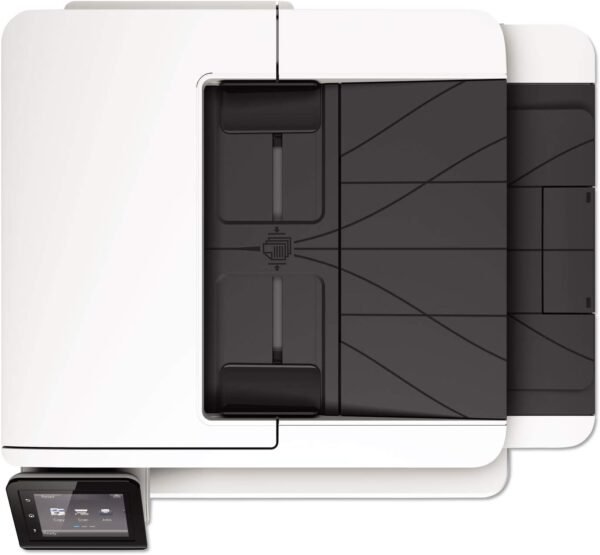
Paper handling backs that up. The listing gives a maximum input capacity of up to 350 sheets and a 50 sheet automatic document feeder for scanning and copying multi page originals. Duplex is listed as automatic, so two sided printing does not require flipping pages by hand. Media support is broad: plain paper, card stock, envelopes, labels, high resolution paper and legal size sheets up to 8.5 by 14 inches, with a minimum size of 3 by 5 inches. A 3 inch color touchscreen handles walk up operation, and up to 100 copies can be queued in a single run.
Connectivity
Wireless printing is included, along with Wi-Fi Direct for printing from a phone without joining the office network, and NFC touch to print for tapping a compatible phone against the printer. A USB 2.0 interface is listed for direct connection. Onboard memory is given as 128 MB, which is modest and matters mainly for large graphics heavy jobs held in the printer queue.
Toner Is A Separate Purchase, And The Included Cartridge Is A Starter
This is the part of a laser printer purchase that decides the real cost, and it is worth separating the machine from its consumables. The included components list states that the printer ships with a preinstalled HP 26A black LaserJet toner cartridge rated at approximately 3,100 pages. That is a starter cartridge supplied to get the machine running, not a full yield replacement, and the page figure is an approximation under standard test conditions rather than a promise.
Once that cartridge runs out, every page printed thereafter depends on buying replacement toner. HP sells the 26A in standard and high yield versions, and the cartridge the printer arrives with is the same family covered in our HP 26A black toner cartridge writeup. Buyers planning long term running costs should price the high yield option and compare it against the standard cartridge on a cost per page basis, and the wider toner cartridges category covers equivalents for other machines. The listing describes the printer as ready for an automatic toner reordering program run by the retailer, which is a subscription service rather than a printer feature.
Highlights
- Print, scan, copy and fax in one monochrome laser unit.
- Rated at up to 40 pages per minute by HP.
- First page out time listed at 5.4 seconds.
- Automatic duplex printing.
- 50 sheet automatic document feeder.
- Input capacity up to 350 sheets.
- Flatbed scanner supporting up to legal size originals.
- Wireless, Wi-Fi Direct and NFC touch to print.
- 3 inch color touchscreen.
- Preinstalled HP 26A toner cartridge rated at roughly 3,100 pages.
Things To Consider
The specification table for this listing contains several fields that do not belong to the product. It gives a controller type of Android and a control method of Voice, neither of which describes a 2015 era office laser printer. It lists a maximum color print resolution of 600 by 600 dpi on a monochrome machine. It also gives print resolution two different ways, as a maximum black and white resolution of 600 dpi in one field and as 1200 by 1200 in another, so the true output resolution should be confirmed against HP documentation. Most notably, a Compatible Cartridge field names a third party compatible cartridge brand rather than an HP part number, which is a retailer entry rather than a manufacturer specification.
- Monochrome only. There is no color printing at any resolution.
- The included toner is a starter cartridge at roughly 3,100 pages, not a full yield unit.
- 128 MB of memory is small for large or complex print jobs.
- This model was first listed in 2015, so driver support and firmware updates are worth checking before buying new.
- At 28.4 pounds and roughly 15 by 16.5 by 12.7 inches, it needs a dedicated surface rather than a desk corner.
- Fax requires a phone line, and the phone cord is included but a line is not.
- The resolution and controller fields in the specification table contradict each other, as described above.
Who Should Buy It And Who Should Not
The M426fdw suits an office that prints a lot of text documents and wants low cost per page, automatic duplexing and a document feeder for scanning contracts and forms. The 350 sheet input capacity means fewer paper refills, and the security emphasis in HP’s description is aimed at organizations that care about who can print what. It is also a sensible pick for a home office that handles legal size paperwork and still needs fax capability, and it belongs to the same workgroup bracket as other machines in the laser printers category.
It is the wrong printer for anyone who needs color, for photo printing of any kind, or for a low volume household where a compact machine such as the Xerox B230 would take up far less space. It is also the wrong choice for buyers who want the lowest possible purchase price, because on a machine like this the value case rests on volume and on cost per page rather than on the printer itself.