

Description
What The Creative Pebble V3 Is
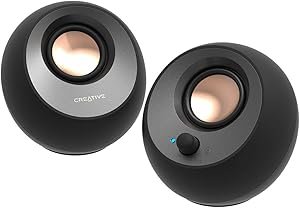
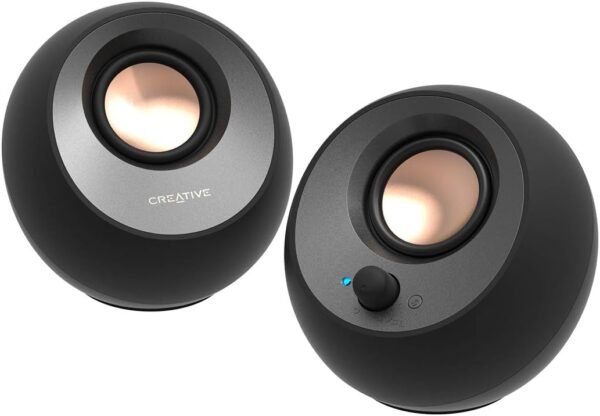
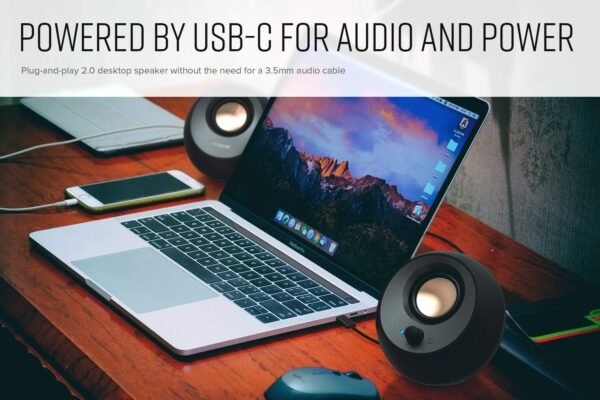
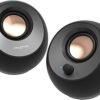
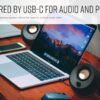
The Creative Pebble V3 is a two piece desktop speaker set designed to sit either side of a monitor and run from a single cable. Creative describes it as a minimalist 2.0 system rated at 8W RMS with peak power up to 16W, using custom tuned 2.25 inch full range drivers. The whole point of the Pebble line is simplification: instead of a separate power brick and a separate 3.5 mm audio lead, the V3 takes audio and power together over one USB-C connection, and a USB-C to USB-A converter is supplied for computers that lack a USB-C port.
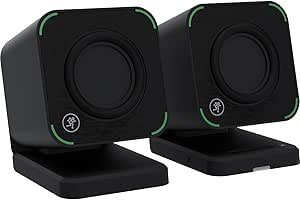
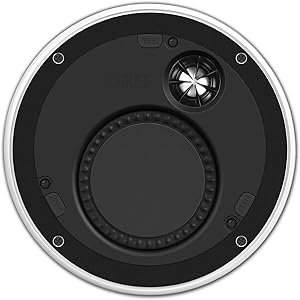
The people it suits are desk users who currently rely on monitor or laptop speakers and want a real step up in volume and body without adding a subwoofer, a receiver or a tangle of cables. It is not a studio monitor and it is not marketed as one. Anyone who wants flatter response for mixing should be looking at something in the class of the Mackie CR2-X Cube monitors instead, and anyone shopping for a fixed install setup will find the KEF Ci160ER architectural speakers a completely different kind of product.
Power, Volume And The Gain Switch
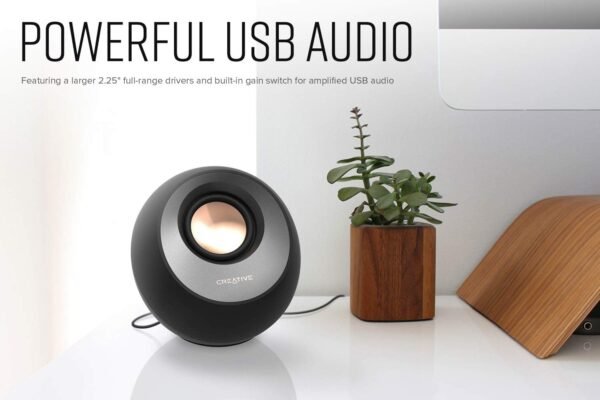
Creative states that the V3 is 50 percent louder than the model it replaced, and attributes that to the larger custom tuned drivers plus a built in gain switch for amplified output. The important detail buried in the listing is the condition attached to that gain switch: Creative specifies that it requires a 10W USB-C or USB-A port to work. A low power USB port on an older laptop or an unpowered hub will not supply that, so the extra headroom is only available if the host port can deliver it. The company also notes that when the speakers are used with a newer USB-C port, they draw power more efficiently for louder USB audio, which is another way of saying output depends on what the computer can give.
Clear Dialog Processing
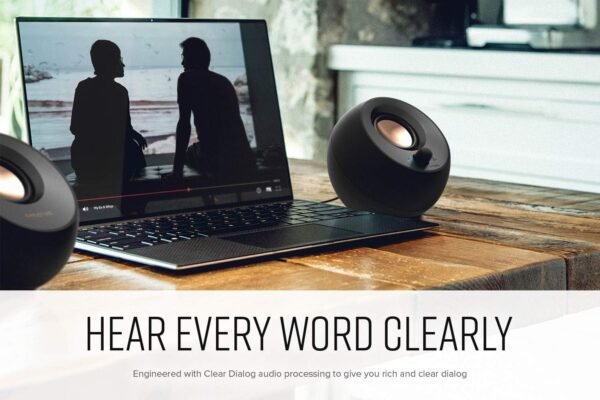
Creative’s Clear Dialog processing is presented as speech enhancement for video content. The stated aim is to make spoken dialogue in videos, movies and television easier to follow without turning up the overall volume and without flattening background effects. That is a manufacturer claim about a digital processing mode, not a measured result, and how useful it is depends heavily on the source material. It is a reasonable feature to want on a desk speaker used mainly for video calls, lectures and streaming, and less relevant if the speakers will mostly play music.
Connections And Physical Design
Three input routes are listed. USB-C is the primary one and carries digital audio plus power. Bluetooth 5.0 handles wireless playback from a phone or tablet, with the listing quoting a maximum range of 10 meters. A 3.5 mm AUX input covers older analog sources, but Creative states clearly that the AUX cable is not included, so that route needs a cable the buyer already owns or has to buy. The specification sheet gives a signal to noise ratio of 75 dB and a 2.0 channel configuration, with control by a physical button rather than a remote or an app.
Physically, each unit measures 4.69 inches deep by 4.8 inches wide by 4.61 inches high and the set is listed at 1.61 pounds. The drivers are angled up 45 degrees so that sound is aimed toward a seated listener rather than across the desk surface, and Creative notes the cable between the right and left speaker is longer than on the previous model to allow wider placement. The cabinet material is plastic and the listing states the speakers are not water resistant and are intended for indoor use. If your desk audio plan also involves a microphone, a compact USB unit such as the Blue Snowflake occupies a similar amount of space.
Highlights
- 2.0 channel desktop pair rated at 8W RMS and 16W peak.
- 2.25 inch custom tuned full range drivers, angled 45 degrees upward.
- Single USB-C cable for audio and power, with a USB-A converter in the box.
- Bluetooth 5.0 with a quoted 10 meter range.
- 3.5 mm AUX input for analog sources.
- Gain switch for extra output, subject to a 10W USB port.
- Clear Dialog speech processing mode.
- Signal to noise ratio listed at 75 dB.
- Compact 4.8 inch wide cabinets at 1.61 pounds for the set.
Things To Consider
This listing is a good example of the import data on this catalog being noisy. The specification table simultaneously describes the product as a 2.0 channel system and lists a subwoofer diameter of 2.25 inches, which is the same figure it gives for the woofer and the general speaker size. There is no separate subwoofer in a 2.0 set, so that field appears to be a duplicate of the driver size rather than a real component. The same table carries a Vehicle Service Type field reading Car, which has nothing to do with a desktop speaker, and it writes the Bluetooth range as 1E+1 meters in one place and 10 meters in another. None of that changes what the product is, but it means the spec sheet should not be read as authoritative on its own.
- Output is capped by what the USB port can supply, and the gain switch needs a 10W port.
- No subwoofer and no separate bass driver, so low frequency extension is limited by 2.25 inch drivers.
- The AUX cable is not supplied.
- Plastic cabinets, indoor use only, no water resistance.
- Volume and power are handled by a button rather than a remote or software mixer.
- The specification table contradicts itself on driver and subwoofer figures, as described above.
Who Should Buy It And Who Should Not
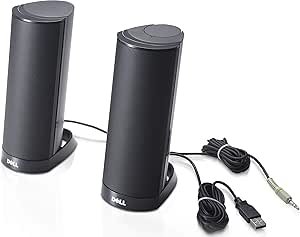
The Pebble V3 fits a desk where cable count matters more than absolute fidelity: a laptop, a mini PC or an office machine where the built in speakers are the weak point. The single cable arrangement and the USB-A converter make it an easy addition to almost any computer, and Bluetooth means it can double as a bedside or shelf speaker on the weekend. Buyers pairing it with a compact desktop will find it sits comfortably next to something like the Dell AX210 USB speaker bar in the same product bracket.
It is not the right buy for anyone doing audio work, anyone who wants deep bass without a subwoofer, or anyone whose computer only offers low power USB ports. Video callers who need a microphone and speaker in one unit would be better served by a dedicated conference device, and people building out a whole desk setup can compare the rest of the computer speakers category or add a webcam such as the Logitech C310 to complete the arrangement.